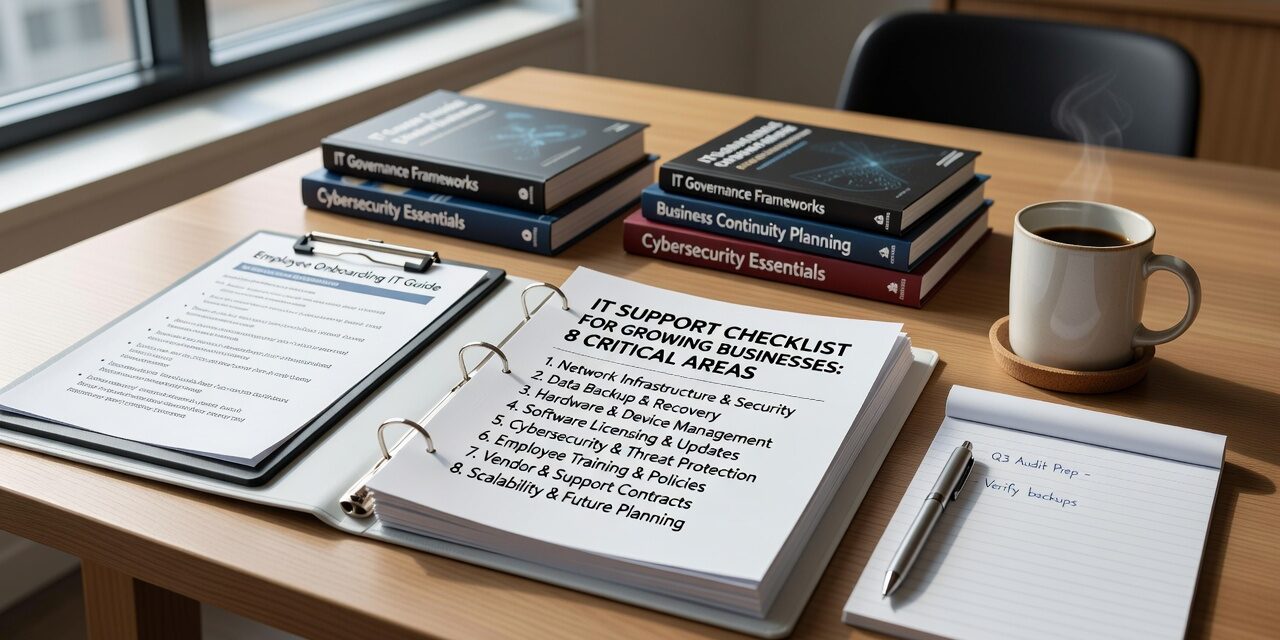
Growing businesses face a common challenge: their IT needs evolve faster than their support structure. What worked at five employees often breaks down at fifteen. What seemed manageable at twenty becomes chaos at fifty.
This IT support checklist for growing businesses covers eight critical areas that determine whether technology helps or hinders your company’s growth. Each section addresses real operational problems that business leaders encounter as they scale.
Core IT Support Infrastructure
Your IT support foundation includes help desk response times, escalation procedures, and vendor coordination. Many growing businesses discover too late that their informal IT arrangement can’t handle multiple simultaneous issues.
A manufacturing company with 35 employees recently faced this reality when their single IT contact became unavailable during a server outage that also affected their phone system. With no clear escalation path, they lost two full days of productivity while scrambling to find alternative support.
Evaluate whether your current IT support can handle multiple issues simultaneously. Can they coordinate with your internet provider, software vendors, and hardware suppliers when problems overlap? Do they have documented procedures for after-hours emergencies?
Your support structure should include defined response times for different issue types, clear escalation procedures, and backup contacts when your primary IT person is unavailable.
Network Reliability and Performance Monitoring
Network issues often start small and compound over time. Slow file transfers, intermittent connectivity, and sluggish application performance can quietly drain productivity before anyone realizes the cumulative cost.
Regular network monitoring catches problems before they become outages. This includes bandwidth utilization tracking, switch and router health monitoring, and wireless access point performance analysis.
Your IT support should proactively monitor network performance and alert you to potential issues. They should also maintain current documentation of your network infrastructure, including device locations, configurations, and replacement schedules.
Many businesses overlook the importance of network redundancy. A single internet connection or aging network equipment represents a significant operational risk as your company grows.
Cybersecurity and Access Management
Cybersecurity requirements change dramatically as businesses add employees, locations, and technology systems. The informal security practices that worked for a small team become serious vulnerabilities at scale.
Multi-factor authentication should be implemented across all critical business systems, not just email. Employee access reviews should happen regularly, especially after staff changes or role modifications.
Your IT support should maintain current security policies, conduct regular access audits, and provide ongoing security awareness training for your team. They should also coordinate security updates across all your systems and applications.
Password management becomes critical as your business grows. Shared accounts and informal password practices create serious security gaps that attackers actively exploit.
Backup and Disaster Recovery Planning
Many businesses assume their data is protected without testing their backup and recovery procedures. This assumption often proves costly during actual emergencies.
Your backup strategy should cover all critical business data, including files stored in cloud applications, email systems, and specialized business software. More importantly, recovery procedures should be tested regularly to ensure they work when needed.
A professional services firm discovered their backup system had been failing silently for six months when they needed to recover a corrupted client database. The resulting data loss damaged several client relationships and required weeks of manual reconstruction.
Establish clear recovery time objectives for different types of data and systems. Your accounting system might need to be restored within hours, while less critical files could take longer. Document these requirements and ensure your IT support can meet them.
Microsoft 365 and Cloud Services Management
Most growing businesses use Microsoft 365, but many don’t optimize their configuration for security and productivity. Default settings often leave security gaps and collaboration inefficiencies.
Regular Microsoft 365 health checks should include security configuration reviews, license optimization, and user training on collaboration features. Your IT support should monitor for unauthorized access attempts and unusual activity patterns.
File organization becomes increasingly important as your team grows. Establish clear guidelines for OneDrive versus SharePoint usage, and implement proper sharing controls to prevent accidental data exposure.
Many businesses discover too late that Microsoft 365’s built-in protections don’t cover all backup and compliance requirements. Additional backup solutions and archiving policies may be necessary depending on your industry.
Help Desk Experience and User Support
Employee productivity depends heavily on responsive, effective IT support. Slow help desk response times and recurring unresolved issues compound across your organization.
Track help desk metrics including average response time, resolution time, and issue recurrence rates. More importantly, gather regular feedback from employees about their support experience.
Your IT support should maintain a knowledge base of common issues and solutions, enabling faster resolution and potentially self-service options for simple problems. They should also document recurring issues to identify underlying infrastructure problems.
Many businesses benefit from outsourced IT support options that provide multiple support tiers and faster response times than single-person IT arrangements.
Vendor Coordination and Technology Integration
Growing businesses typically work with multiple technology vendors: internet providers, software companies, hardware suppliers, and cloud service providers. Coordinating these relationships becomes complex without proper management.
Your IT support should serve as the primary contact point for vendor issues, maintaining relationships and service level agreements. They should also coordinate vendor access to your systems and ensure security protocols are followed.
When problems involve multiple vendors, having experienced IT support to manage the troubleshooting process saves significant time and prevents finger-pointing between providers.
Regular vendor performance reviews help identify recurring issues and opportunities for service improvements or alternative providers.
Technology Planning and Capacity Management
Reactive IT management becomes increasingly expensive as businesses grow. Proactive planning helps avoid emergency purchases, compatibility issues, and capacity constraints.
Regular technology assessments should identify aging equipment, capacity limits, and upcoming software lifecycle events. Your IT support should provide recommendations for replacements and upgrades based on your business growth projections.
Many businesses underestimate the lead time required for technology changes. Network upgrades, server migrations, and software implementations often take longer than expected and can disrupt operations if not properly planned.
Budget planning should include not just hardware and software costs, but also implementation time, training requirements, and potential productivity impacts during transitions.
What This Means for Your Business
This IT support checklist for growing businesses reveals whether your current technology support can scale with your company. Each area represents a potential operational risk that becomes more significant as you add employees and locations.
Regular assessment of these eight areas helps identify gaps before they become costly problems. The goal is not perfect IT infrastructure, but rather support systems that enable growth rather than constraining it.
Ready to evaluate your current IT support against these criteria? TECHZN helps growing businesses in Dallas and Austin build scalable technology foundations that support long-term growth. Contact us to discuss your specific requirements and develop a comprehensive IT support strategy.