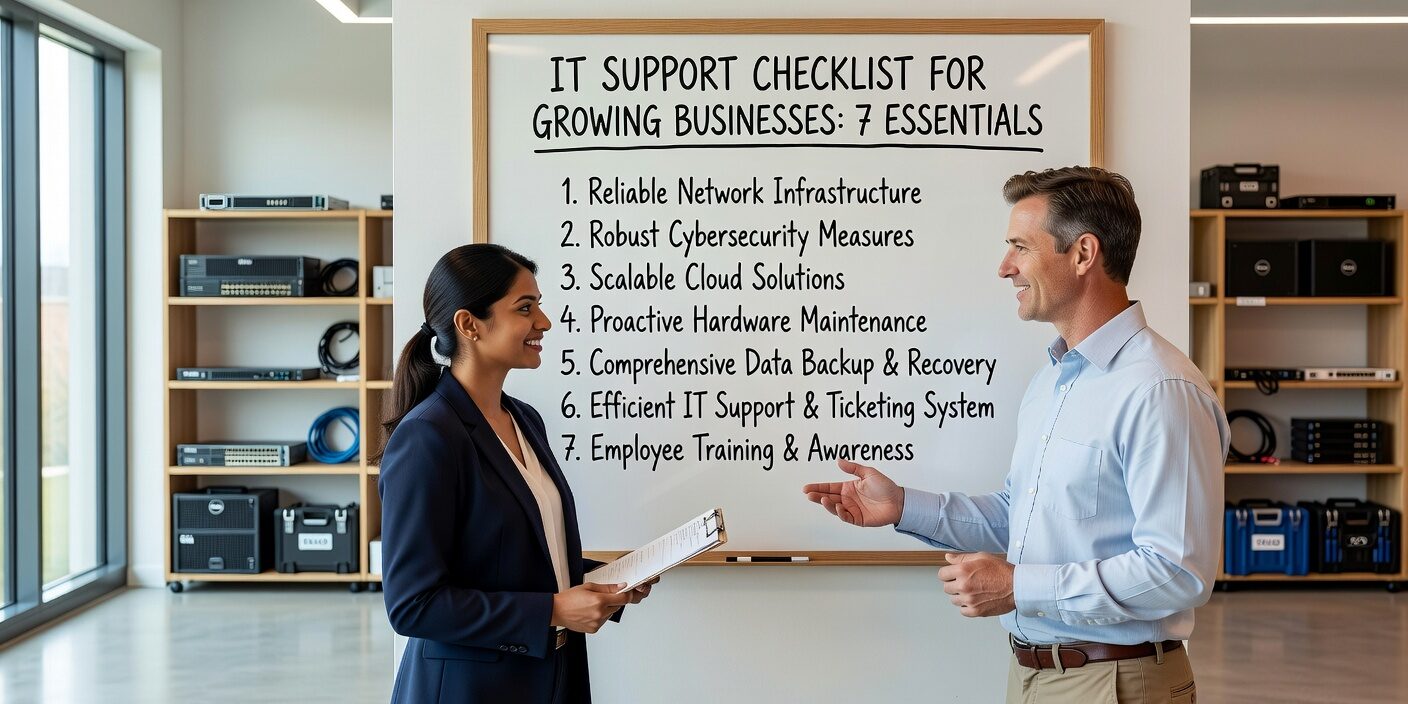
Building reliable IT support becomes critical as your business grows beyond a handful of employees. What worked when you had five people won’t scale to fifteen, and certainly not to fifty. This IT support checklist for growing businesses covers the essential components you need to maintain productivity, prevent costly downtime, and keep your team focused on growth rather than technology problems.
Essential Help Desk Structure
A formal help desk system forms the foundation of effective IT support. Without it, requests get lost, priorities get confused, and small problems become major disruptions.
Start with a ticketing system that allows employees to submit requests through email, a web portal, or phone. This creates a paper trail and ensures nothing falls through the cracks. Your system should automatically assign ticket numbers and send confirmation emails.
Establish clear submission guidelines for your team: • How to describe the problem accurately • What information to include (error messages, affected systems) • When to mark issues as urgent versus routine • Expected response timeframes by priority level
Define priority levels based on business impact. Critical issues affect multiple users or core business functions. High-priority problems impact individual productivity but don’t shut down operations. Medium and low priorities cover general questions and enhancement requests.
Response Time Standards That Match Your Business
Response time expectations should reflect your business hours, budget, and tolerance for downtime. A manufacturing company with 24/7 operations needs different support than a professional services firm that works standard hours.
Set realistic initial response targets: • Critical issues: 15-30 minutes during business hours • High priority: 2-4 hours • Medium priority: Same business day • Low priority: Next business day
Separate response time from resolution time. Initial response means acknowledging the issue and providing a status update. Resolution time depends on the complexity of the problem and may require escalation or vendor involvement.
Plan for after-hours coverage if your business operates beyond standard hours. This might mean emergency contact procedures, on-call arrangements, or partnering with external support providers who offer extended coverage.
Documentation and Knowledge Management
Proper documentation prevents the same problems from recurring and helps support staff resolve issues faster. It also protects your business when key people leave or are unavailable.
Maintain an IT asset inventory that includes: • All computers, servers, networking equipment • Software licenses and version numbers • Warranty information and support contracts • User assignments and access permissions
Create standard operating procedures for common tasks like setting up new users, password resets, software installations, and backup verification. These procedures ensure consistency and reduce the learning curve for new support staff.
Build a searchable knowledge base with solutions to frequently encountered problems. Include step-by-step troubleshooting guides, approved software configurations, and contact information for vendors and specialists.
Clear Escalation Procedures
Not every IT problem can be solved by first-level support. Having clear escalation paths ensures complex issues move quickly to the right expertise without getting stuck in bureaucracy.
Define escalation triggers: • Issues affecting business-critical systems • Security incidents or suspected breaches • Problems requiring vendor support or specialized knowledge • Tickets approaching SLA deadlines
Establish responsibility levels for different types of issues. Basic troubleshooting might stay with internal staff, while network problems or server issues escalate to senior technicians or external specialists.
Include business stakeholders in escalation procedures for issues that affect operations, customer service, or revenue-generating activities. Department managers should know when their systems are down and receive regular updates until resolution.
Proactive Maintenance and Monitoring
Reactive support that only responds to problems is expensive and disruptive. Proactive maintenance prevents many issues before they impact your business.
Schedule regular maintenance windows for applying updates, performing backups, and running system diagnostics. Communicate these windows to staff in advance and minimize disruption to business operations.
Implement automated monitoring for critical systems like servers, network connectivity, and cloud services. Monitoring tools can detect problems early, sometimes before users notice any impact.
Establish patch management procedures to keep operating systems and applications current with security updates. Balance the need for timely patching with testing requirements to avoid introducing new problems.
Security Integration with IT Support
IT support and cybersecurity work hand in hand. Your support procedures should include security considerations to protect against threats while maintaining productivity.
Include security training in your IT support procedures. Staff should know how to identify phishing attempts, handle suspicious emails, and report potential security incidents through proper channels.
Implement secure remote support procedures that protect against unauthorized access. Use encrypted connections, multi-factor authentication, and audit trails for all remote support sessions.
Plan for security incidents as part of your support escalation procedures. Security issues often require immediate response and may involve external specialists or law enforcement.
Performance Metrics and Continuous Improvement
Measuring IT support performance helps you identify problems early and demonstrate value to business leadership. Focus on metrics that reflect business impact rather than just technical statistics.
Track key performance indicators: • First response time and resolution time by priority • Ticket volume and trends by category • System uptime and availability • User satisfaction scores • Repeat incident rates
Review metrics regularly with both IT staff and business stakeholders. Look for patterns that suggest training needs, process improvements, or infrastructure investments.
Adjust support procedures based on business growth and changing technology needs. What works for a 20-person company may not scale to 50 employees, multiple locations, or increased remote work.
What This Means for Your Business
Implementing these IT support essentials creates a foundation for sustainable business growth. Structured support procedures reduce downtime, improve security, and free your team to focus on core business activities rather than technology problems.
The key is starting with your current needs while building procedures that can scale with your business. You don’t need enterprise-level complexity on day one, but you do need systems that won’t break down as you grow.
Consider whether your current IT support approach can handle your projected growth over the next 12-24 months. If you’re managing everything internally, evaluate whether outsourced IT support options might provide better coverage and expertise as your technology needs become more complex.
Growing businesses need IT support that grows with them—reliable, responsive, and focused on keeping your business running smoothly while you focus on what you do best.