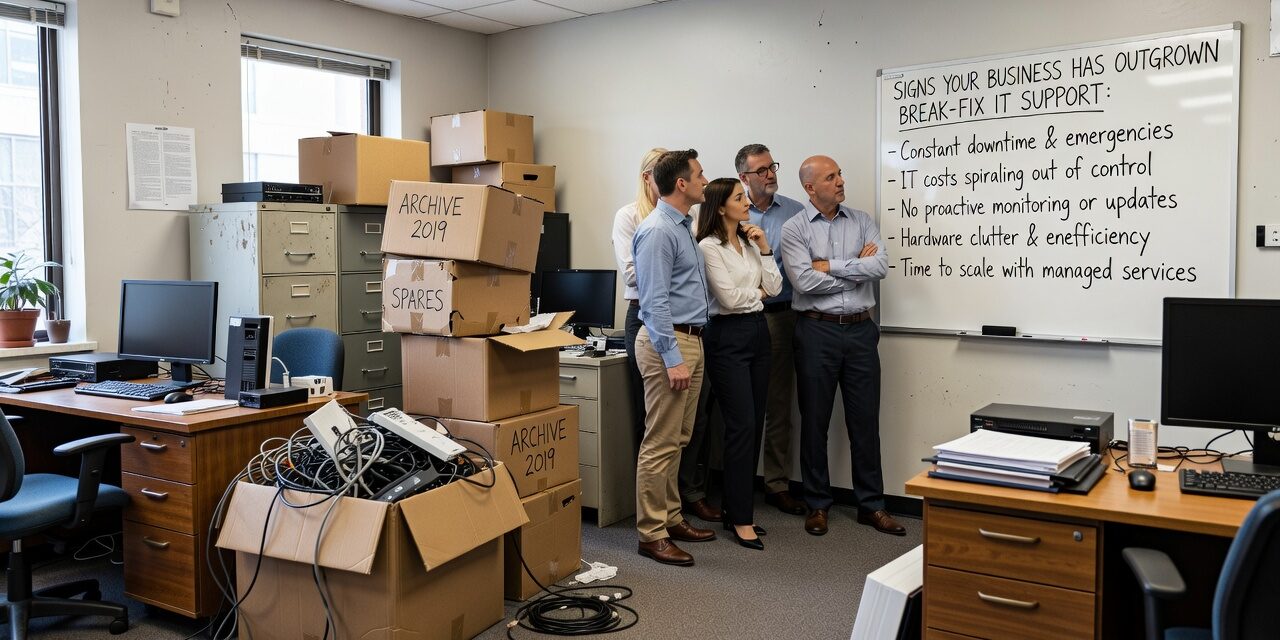
If your IT situation mostly runs on the assumption that someone will call when something breaks, that model might have worked fine at some point. But for many growing businesses, the cracks in break-fix IT support don’t show up as a single dramatic failure. They show up slowly — as recurring problems, delayed responses, and mounting costs that never quite seem to get resolved.
Knowing the signs your business has outgrown break-fix IT support is one of the more practical decisions a business leader can make. The earlier you recognize it, the less it ends up costing you.
What Break-Fix IT Actually Means
Break-fix is exactly what it sounds like: something breaks, you call someone, they fix it, and you pay for that visit. No contract, no ongoing relationship, no visibility into what might break next.
For a solo consultant or a three-person shop, this can work. But once you have a team that depends on technology to get work done every day — email, file sharing, accounting software, customer data, phones — the math starts changing.
The problem with break-fix isn’t just speed. It’s that the person you call has no real knowledge of your environment. They’re starting from scratch every time. They don’t know what changed last month, what your backup situation looks like, or whether your systems have had security patches applied in the past six months.
Common Signs You’ve Reached the Limit
Recurring problems that never fully go away. If your team keeps running into the same Wi-Fi issues in the conference room, or Microsoft 365 keeps dropping connections, or the same printer causes chaos every Monday morning — that’s a pattern, not bad luck. Break-fix support fixes the symptom each time without investigating the root cause.
You’re losing track of who’s responsible for what. Many businesses end up with a tangle of IT vendors: one for internet, one for phones, one for software, someone else for hardware. When something breaks and it’s not obvious whose problem it is, your staff ends up stuck in the middle. This is one of the more common blind spots for growing teams. Vendor management without a coordinator wastes hours that could go toward actual work.
Your staff is absorbing IT problems. Pay attention to how much time your most capable people spend troubleshooting tech issues that aren’t their job. An operations manager who spends 90 minutes tracking down a file access problem, or a CFO who’s on the phone with a software vendor trying to figure out why a report won’t generate — that’s real cost, just not one that shows up on an IT invoice.
You’ve had a close call with data loss or downtime. Maybe the internet went down for two hours during your busiest day of the week. Maybe someone discovered a backup hadn’t been running for six weeks — only after they needed it. These near-misses are signals worth taking seriously. A break-fix provider isn’t watching your backup logs or monitoring your network. They only know something went wrong when you tell them.
You’re growing in headcount, locations, or complexity. Adding staff, opening a second office, moving to hybrid work, or adopting new software all raise the stakes for IT reliability. What didn’t require much structure at five employees gets harder to manage at twenty. And a break-fix model doesn’t scale with you — it just means more calls, more invoices, and more gaps.
The Real Cost of Staying with Break-Fix Too Long
This is where the decision gets concrete. Break-fix feels cheaper because you only pay when something breaks. But that framing misses several real costs:
- Downtime cost: If your business generates $50,000 per month in revenue and your team is down for four hours, the math isn’t complicated. Downtime has a value, even if it doesn’t show up as a line item.
- Security exposure: Without proactive patching, monitoring, and access management, vulnerabilities pile up quietly. Ransomware doesn’t announce itself.
- Reactive billing surprises: Emergency IT calls often come with premium rates. A few of those in a bad quarter can easily exceed what structured IT support would have cost.
- Staff productivity drag: Recurring, unresolved IT friction doesn’t show up in a budget, but it shows up in how much work actually gets done.
One practical mistake many businesses make is assuming the total cost of break-fix IT is what they paid in invoices last year. The full number includes what those problems cost in staff time, lost productivity, and unrealized work.
How to Decide What Model Actually Fits
Not every business needs the same solution. There are three common models worth understanding:
Break-fix works if your technology needs are genuinely minimal and downtime is low-stakes. That’s a small category.
Fully managed IT support means a provider handles monitoring, patching, help desk, backups, vendor management, and strategic planning under a consistent monthly agreement. This is appropriate when your team relies heavily on technology and you want predictable costs and proactive support.
Co-managed IT is worth considering if you already have an internal IT person or a small team. Rather than replacing them, a managed service provider takes over specific functions — overnight monitoring, security patching, help desk overflow, or compliance support — so your internal person can focus on projects instead of daily firefighting. This is a practical arrangement that gets overlooked by businesses that assume managed IT means replacing their existing staff.
If you’re evaluating options, managed IT support for growing businesses typically includes help desk support, proactive monitoring, patch management, backup oversight, and vendor coordination — the functions that break-fix simply doesn’t cover.
Questions Worth Asking Before You Decide
If you’re trying to figure out where your business actually stands, these questions cut through the noise:
- How many IT-related problems did your staff deal with in the last 90 days?
- Do you know when your backups last ran and whether they were successful?
- Is there a single point of contact who knows your full IT environment?
- When something breaks, how long does it typically take to get resolved?
- Have you had any security incidents, phishing attempts, or unauthorized access in the past year?
- Do you know which systems would need to come back online first if you had a serious failure?
If several of these questions don’t have clear answers, that’s informative on its own.
What This Means for Your Business
Break-fix IT isn’t inherently bad — it’s just designed for a simpler version of your business than the one you’re running now. The signs your business has outgrown break-fix IT support tend to build gradually, which makes them easy to rationalize until a real problem forces the issue.
The smarter move is to evaluate your current model before you’re in the middle of an outage, a data loss incident, or a compliance question you can’t answer.
TECHZN works with small and mid-sized businesses across Dallas and Austin to assess their current IT situation and figure out what model actually fits their operations and budget. If you’d like an honest look at where things stand, reach out to our team to start the conversation.