




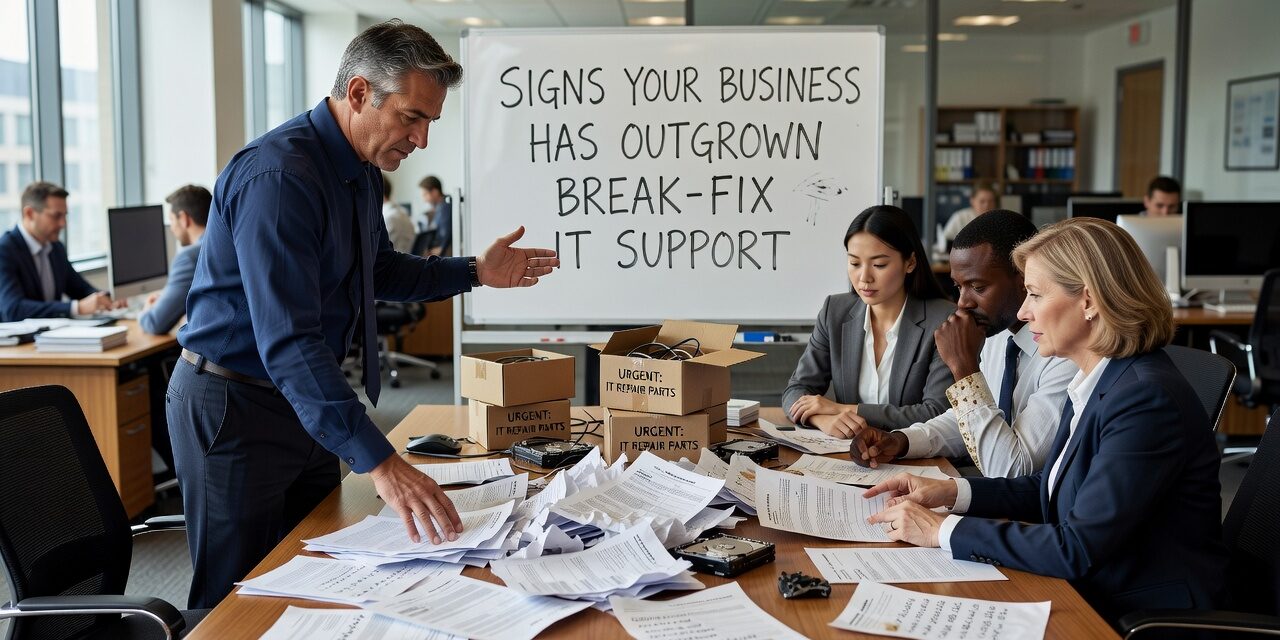
If your team is waiting hours—or days—to get a tech issue resolved, and whoever usually handles IT is already juggling their actual job, you may already be past the point where informal support makes sense. Recognizing the signs your business has outgrown break-fix IT support is one of the more practical decisions a growing company can make. It tends to come up quietly, not all at once.
What Break-Fix IT Support Actually Looks Like
Break-fix is exactly what it sounds like: something breaks, you call someone, they fix it, you pay for the time. There’s no monitoring, no planning, no one watching your systems between incidents.
For a very small operation with minimal technology needs, this can work. But most businesses grow past that threshold faster than they expect. You add staff, take on more software, move to cloud tools, maybe open a second location—and suddenly the tech stack is more complex than any one person can manage reactively.
The problem with break-fix isn’t just response speed. It’s that nothing is being prevented. Every fix is a reaction to something that already went wrong, usually at the worst possible moment.
The Operational Warning Signs
There’s no single trigger. It’s usually a pattern that builds over time. Here are the most common signs that the current approach is no longer keeping up:
The same problems keep coming back. If a staff member has submitted a ticket for the same issue three times in six months, that’s not bad luck—it’s a symptom of a system that’s being patched instead of fixed properly.
IT issues are affecting customers or revenue. A slow file server is an inconvenience. An outage that takes down your phone system or prevents you from accessing client records during business hours is a different kind of problem. When tech issues start affecting what you can deliver, the stakes have changed.
No one owns the IT decisions. In many growing businesses, the person who handles IT is also doing operations, admin, or finance work. They make reasonable decisions when something breaks, but there’s no one thinking ahead—no hardware refresh plan, no security policy, no one tracking what software licenses are actually in use.
Downtime is becoming a regular occurrence. One or two incidents a year might be manageable. If your team is losing meaningful time to outages or slowdowns on a monthly basis, that’s a cost worth measuring. Even a few hours of lost productivity per person per month adds up fast across a team of 15 or 20.
You’re not sure if your backups actually work. This is one of the most common blind spots in small business IT. Backups are set up at some point, assumed to be running, and rarely tested. Many businesses only discover a backup was misconfigured or incomplete when they actually need to restore something.
A Common Mistake: Mistaking Familiarity for Reliability
One of the more subtle traps is staying with an informal IT arrangement—whether that’s a part-time contractor, a tech-savvy employee, or a vendor you’ve used for years—because it’s comfortable and generally inexpensive.
The hidden cost shows up elsewhere. Consider a scenario most office managers will recognize: a Microsoft 365 account issue locks a staff member out of their email on a Monday morning. The internal person who usually handles IT is traveling. The backup plan is to call someone who charges by the hour and may not be available until the afternoon. Half a day of work is effectively lost.
That’s a relatively minor example. Multiply it across more critical systems—payroll software, a client database, a VoIP phone system—and the exposure becomes much harder to absorb.
The mistake isn’t relying on informal IT when you’re small. The mistake is continuing to rely on it after your operations have grown complex enough that a gap in coverage has real consequences.
What Changes With Proactive IT Support
The shift to a proactive model—where an IT provider monitors systems, manages updates, handles security patching, and responds quickly when problems arise—changes a few things that matter to operations managers and business owners:
- Problems are often caught before they surface. A failing hard drive or an overloaded server doesn’t usually announce itself. Monitoring catches the early signals.
- There’s a defined response process. Your staff knows who to call, what to expect, and how quickly a response is coming. That clarity reduces frustration and lost time.
- Security is maintained consistently. Software patches, firewall rules, and account access reviews happen on a schedule, not whenever someone gets around to it.
- You get documentation and planning. A good IT support relationship includes some visibility into what you have, what’s aging, and what’s coming up—so you’re not making reactive capital decisions.
This doesn’t mean every problem disappears. It means fewer surprises, faster resolution when issues do occur, and someone accountable for keeping things running.
How to Decide If It’s Time to Make a Change
If you’re trying to evaluate whether your current setup is still working, here are a few honest questions to ask:
- How long does it typically take to get a tech issue resolved during business hours?
- Has your IT situation ever delayed a customer delivery, a billing cycle, or a key business process?
- Do you know what would happen if your primary file storage went offline today?
- Is anyone actively reviewing your security settings, user accounts, and software licenses—or is it assumed to be handled?
- Have you had the same recurring issue more than twice in the past year?
If several of those answers make you uncomfortable, the current arrangement has probably run its course.
For businesses that have reached this point, exploring managed IT support for growing businesses gives you a clearer picture of what a structured support model actually looks like in practice.
What This Means for Your Business
Break-fix IT support isn’t inherently bad—it just has a natural ceiling. Once your team, your technology, or your customer expectations grow past a certain point, reactive support starts creating costs that don’t show up on any invoice: lost hours, staff frustration, security gaps, and the ongoing risk that something critical fails at the wrong time.
The decision to move toward structured IT support is less about technology and more about how much operational risk you’re comfortable carrying. Most business owners, once they do the math, find the answer is less than they thought.
If you’re not sure where your business stands, TECHZN works with growing businesses in the Dallas and Austin areas to assess their current IT setup and build a support model that fits how they actually operate. Reach out to start a straightforward conversation about what you need.






