




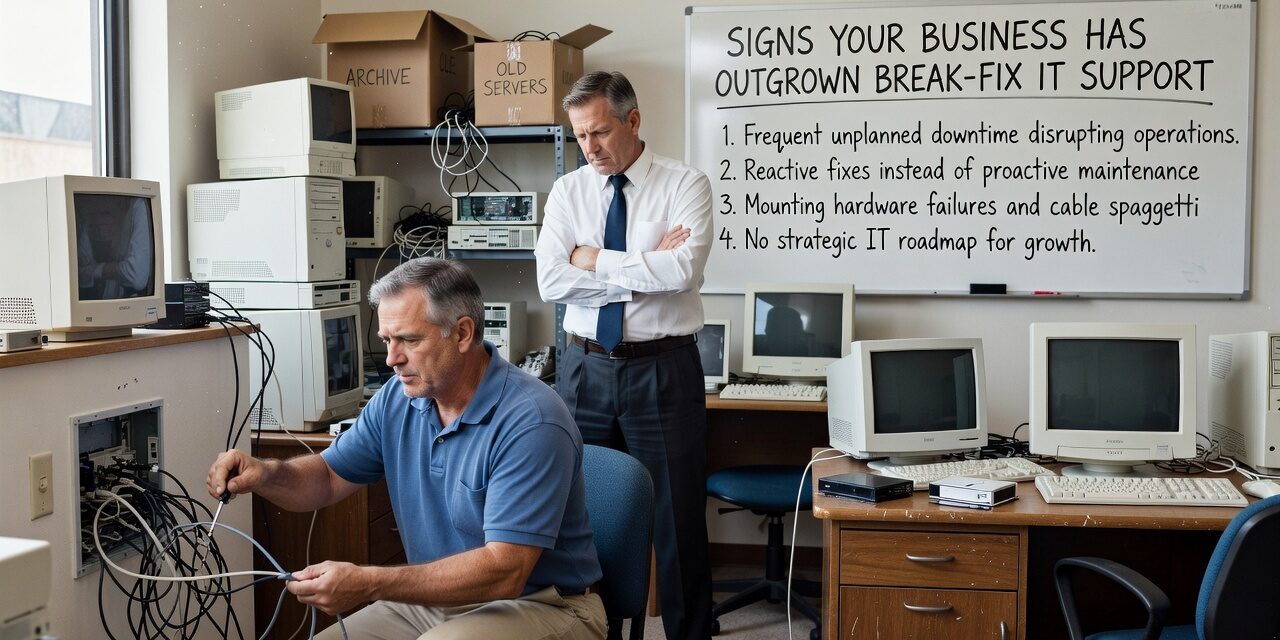
At some point, calling someone when something breaks stops being a strategy. For a lot of growing businesses, that realization comes after an outage that lasted too long, a data scare that almost became a crisis, or a staff member who lost half a day waiting for a password reset. If any of that sounds familiar, your business may have quietly outgrown break-fix IT support.
Break-fix is exactly what it sounds like: something fails, you call for help, someone fixes it, you pay the bill. For a solo operator or a very small office, that model can work. But as your team grows, your systems get more interconnected, and your operations depend more on reliable technology, the cracks in that approach start to show up in ways that cost real money.
What Break-Fix IT Actually Looks Like in Practice
Most businesses don’t set out to use break-fix IT. It just happens. You hire a local tech contact or a one-person shop to handle problems as they come up. That works fine until it doesn’t.
Here’s what outgrowing that model typically looks like in a real office:
- A server goes down on a Friday afternoon. Your IT contact isn’t available until Monday.
- A Microsoft 365 account gets compromised. No one notices for three days because there’s no monitoring in place.
- Your office moves to a new location. The internet and phone setup takes two weeks longer than expected because no one planned it in advance.
- Staff keep hitting the same Wi-Fi issues in the conference room, but because it’s not technically a crisis, it never gets fixed properly.
None of these are dramatic failures on their own. But add them up across a quarter, and you’re looking at significant lost productivity, staff frustration, and avoidable security exposure.
The Clearest Signs Your Business Has Outgrown Break-Fix IT Support
You’re reacting more than you’re planning. If your IT activity is almost entirely reactive — fix this, reset that, recover from this outage — there’s no one looking ahead. Technology problems rarely appear without warning signs. Without someone monitoring your systems proactively, those warnings just go unnoticed until they become emergencies.
The same issues keep coming back. Recurring problems are a strong signal that something isn’t being addressed at the root level. If your team is constantly dealing with slow performance, connectivity drops, or login issues, a break-fix arrangement typically won’t surface why. It fixes what’s visible and moves on.
You’re not sure what’s actually backed up. This is one of the most common blind spots for businesses using informal IT support. Many operators assume their data is being backed up reliably. Then something goes wrong — a ransomware hit, a hardware failure, an accidental file deletion — and they find out the backups were incomplete, outdated, or never tested. By then, it’s too late.
Growth is adding complexity faster than your IT support can handle it. Hiring five new people, opening a second location, or switching to a remote work model all add IT complexity quickly. A break-fix contact who was fine for your four-person office may not have the capacity or expertise to support a 20-person team across two sites.
Security is essentially an afterthought. Break-fix IT support is focused on keeping things running. Cybersecurity requires consistent, ongoing attention: patching, monitoring, access management, email filtering, and regular review of settings and permissions. If no one is doing that work proactively, your exposure is higher than you probably realize.
A Common Mistake: Confusing Responsiveness with Coverage
One of the biggest blind spots in break-fix arrangements is assuming that a fast response to problems is the same as having solid IT coverage. It isn’t.
A vendor who calls you back within an hour is responsive. But if they’re not monitoring your systems, reviewing your backups, managing your software updates, or flagging security vulnerabilities, you’re still flying without a safety net. Responsiveness after a problem is not the same as prevention.
This is where the cost of break-fix support is often misunderstood. The per-incident bills may look reasonable in isolation. But factor in the hours your staff lost during downtime, the cost of data recovery after a failed backup, and the time spent explaining the same recurring problem to a tech who has no history with your environment — and the math often looks very different.
What the Shift to Proactive IT Support Actually Changes
Moving to a managed IT model means someone is responsible for the ongoing health of your systems, not just for fixing what breaks. That distinction matters in a few practical ways:
- Fewer surprise failures. Monitoring tools catch warning signs — a disk filling up, a device behaving abnormally, a failed backup job — before they become outages.
- A documented environment. A good IT partner knows your network, your vendors, your software, and your hardware. When something does go wrong, there’s no time wasted getting up to speed.
- Predictable costs. Instead of unpredictable repair bills, you’re working with a fixed monthly cost that covers most day-to-day IT needs.
- Security that doesn’t fall through the cracks. Patch management, access reviews, and endpoint protection become part of the regular workflow instead of things that only get attention when there’s a problem.
For businesses in the Dallas or Austin area that have hit this inflection point, exploring managed IT support for growing businesses is often the logical next step — especially if you’re supporting a team of 10 or more employees or operating across multiple locations.
Practical Decision Points: Is It Time to Make a Change?
Not every business is ready to make a full switch immediately, and that’s fine. But a few questions can help you figure out where you stand:
- Has your team experienced downtime in the past six months that you couldn’t fully explain? If yes, ask whether anyone is monitoring your systems proactively.
- Do you know exactly what’s being backed up, how often, and when it was last tested? If the answer is unclear, that’s a gap worth closing now.
- Is your IT contact available during your business hours — reliably? Not most of the time. Every time.
- Are you planning any significant changes in the next 12 months — a new office, a team expansion, a software migration? Those require planning, not just reactive support.
- Have you reviewed your Microsoft 365 security settings, user permissions, or email filtering rules in the past year? Many businesses haven’t, and those settings directly affect your exposure to phishing and account compromise.
If several of these questions surface gaps you hadn’t thought much about, that’s useful information. It doesn’t mean you’re in a crisis — but it does mean your current IT arrangement may not be keeping pace with where your business actually is.
What This Means for Your Business
Break-fix IT support isn’t inherently bad. It’s just a model built for a different kind of business than the one you may be running now. If your team is growing, your technology is more central to daily operations, and you’ve had moments where a IT problem created real disruption — those are signs worth taking seriously.
The goal isn’t to find a vendor. It’s to make sure the way you’re handling IT actually matches the demands of your operation.
If you’re unsure whether your current approach is keeping up, TECHZN works with businesses across the Dallas and Austin area to assess IT gaps and build support structures that fit where a company is headed — not just where it’s been. Reach out to start a straightforward conversation about what your business actually needs.






