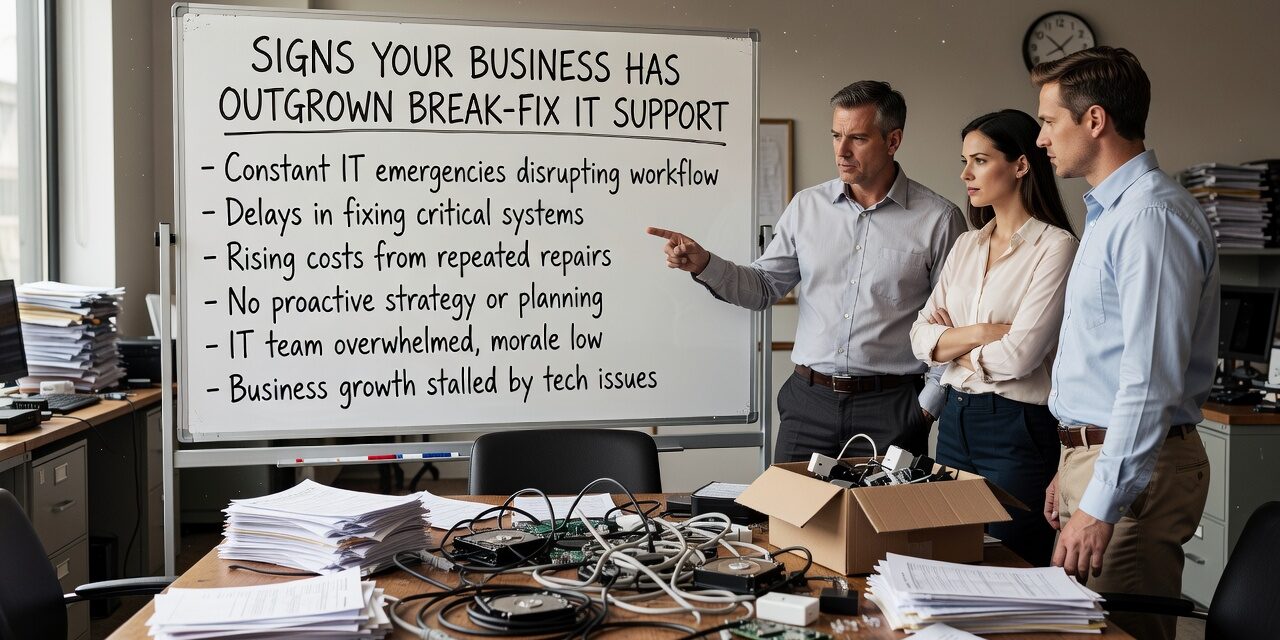
At some point, calling for help only when something breaks stops being a reasonable IT strategy. For many growing businesses, that point arrives gradually — a few too many outages, a support bill that spikes without warning, a staff member who lost half a day waiting for someone to fix their email. If that pattern sounds familiar, it may be one of the clearer signs your business has outgrown break-fix IT support.
Break-fix has a simple premise: something fails, you call a technician, you pay for the time. It works fine when your IT environment is small and stable. But as your team grows, your systems get more complex, and your reliance on technology deepens, that reactive model starts creating problems that compound over time.
What Break-Fix Actually Costs You
The most obvious cost is the invoice. Break-fix billing tends to be unpredictable — you might go months with minimal spend, then get hit with a large bill after a server failure or a network outage that took several hours to diagnose. That unpredictability makes it hard to budget accurately, especially for operations managers or CFOs trying to plan ahead.
But the harder cost to track is downtime. When your IT support is purely reactive, nothing gets looked at until something breaks. There’s no one monitoring your systems for warning signs, no one applying patches on a schedule, and no one who knows your setup well enough to catch a problem before it takes down your office for the afternoon.
Consider a simple scenario: your file server starts running low on storage. In a proactive managed environment, that gets flagged and resolved before it causes an issue. In a break-fix model, you find out when staff can’t save files — or worse, when a backup fails because there was no space left to write to.
Signs the Break-Fix Model Is No Longer Working
Not every business needs to make a change right away. But certain patterns are reliable indicators that the reactive model is holding you back.
You’re seeing the same problems repeatedly. If your team is calling about the same printer issues, the same VPN drops, or the same Microsoft 365 login problems month after month, that’s a sign no one is addressing root causes. Break-fix resolves the symptom and moves on.
Your IT costs are unpredictable. Some months you spend almost nothing; others you’re hit with unexpected repair bills. If you can’t reasonably forecast IT spend, it’s difficult to plan anything else around it.
Downtime is affecting your staff’s ability to work. One or two isolated incidents per year is one thing. If outages are frequent enough that employees have adapted their workflows around unreliable systems — saving files locally instead of to the server, avoiding a specific application because it crashes — that’s a structural problem.
Nobody owns your overall IT picture. Break-fix vendors typically fix what you call about. They’re not reviewing your network, assessing your backup health, or tracking whether your software licenses are current. If no one is looking at your IT environment as a whole, gaps accumulate.
You had a close call — or a real one. A ransomware infection, a failed backup during a recovery attempt, a prolonged outage during a critical business period. These events often push businesses to take stock of whether reactive IT support is actually adequate.
The Blind Spot Most Businesses Miss
One of the most common mistakes businesses make when evaluating their IT support is measuring it only by cost per incident. Break-fix feels affordable because you’re only paying when something happens. But that framing ignores what you’re not getting: monitoring, maintenance, documentation, and someone who understands your environment well enough to give you useful guidance.
A good example is patching. Operating system and software patches exist primarily to close security vulnerabilities. In a break-fix arrangement, patching typically only happens if you ask for it or if a tech happens to notice updates are pending during a service call. In practice, many break-fix clients go months — sometimes longer — without consistent patching. That’s a real security exposure, not a theoretical one.
Similarly, backups are easy to forget until you need them. Plenty of businesses discover that their backup process had been failing silently for weeks only after they tried to recover from a data loss event. A break-fix provider isn’t watching that for you.
What Changes When You Move to a Proactive Model
The core difference with managed IT support isn’t just that someone is on call — it’s that someone is watching, maintaining, and planning on your behalf before problems occur.
That typically includes remote monitoring of your servers, workstations, and network; scheduled patching and updates; help desk access for your staff without per-incident billing; and a vendor who knows your environment and can give you honest input on decisions like whether your current hardware is approaching end of life, or whether your backup solution is actually recoverable.
For businesses with multiple locations, this matters even more. Trying to coordinate break-fix support across two or three offices usually means inconsistent response times, no standardization, and nobody who has a complete picture of how all the sites connect.
If your team is spending time working around IT problems rather than through them, or if your support vendor is a stranger who shows up after something breaks and leaves when it’s fixed, it may be time to think differently about how IT support fits into your operations. Exploring managed IT support for growing businesses is a practical next step for teams that have reached that point.
What This Means for Your Business
Break-fix IT support isn’t a bad product — it’s just a model designed for a different kind of business than you may be running now. If your technology is central to how your team works every day, reactive support creates risk that builds up quietly until it doesn’t.
The signs are usually gradual: recurring problems, unpredictable costs, a backup that hasn’t been verified in months, staff adapting to unreliable tools. None of those things look urgent in isolation. Together, they’re a reasonably clear signal.
If you’re based in the Dallas or Austin area and want to understand what a more proactive IT support model would look like for your specific situation, TECHZN works with small and mid-sized businesses to build practical, right-sized IT support arrangements — not one-size-fits-all contracts. Reach out to start a straightforward conversation about where your current setup may have gaps.