




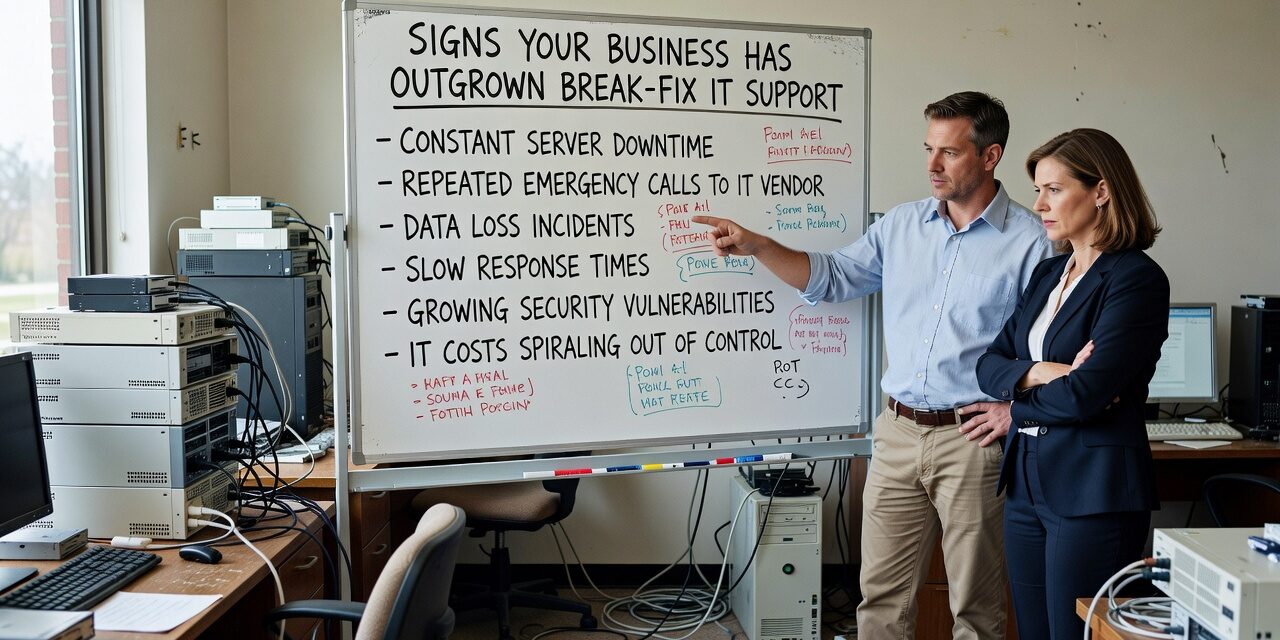
There’s a point where calling someone when things break stops being a reasonable IT strategy. If you’re hitting that wall—recurring problems, slow response times, no one proactively watching your systems—you may already be past it. Knowing the signs your business has outgrown break-fix IT support can save you from a much bigger disruption down the road.
Break-fix works fine when your IT needs are minimal and predictable. You have five computers, a basic internet connection, and the occasional printer problem. But once your team grows, your operations depend more heavily on technology, or you’re running multiple locations, that reactive model starts costing you more than it saves.
Your Staff Is Losing Hours to the Same Problems
One of the clearest signals is repetition. The same issues come back—slow network performance, email sync problems in Microsoft 365, a shared drive that keeps disconnecting—and each time someone calls a vendor, the fix is temporary.
This is the structural weakness of break-fix support. The incentive isn’t to prevent problems; it’s to fix them when they happen. There’s no one looking at why a problem keeps occurring or what pattern it fits into. Your staff loses productivity each time, your vendor bills by the hour, and nothing actually improves.
If your team has started working around known IT problems instead of reporting them—saving files locally to avoid the unreliable network share, using personal email because the business account keeps acting up—that’s a sign the support model has already broken down.
Response Time Has Become a Bottleneck
With break-fix, response time is unpredictable by design. The vendor shows up when they can. If you’re dealing with a downed server, an internet outage affecting your whole office, or a Microsoft 365 issue locking people out of their accounts, waiting hours for a callback is a real business cost.
Response time matters more than price in most IT support decisions—especially once your operations depend on systems being available during business hours. A cheap vendor who takes four hours to respond to a critical issue is more expensive than a slightly higher monthly cost for a provider with a defined SLA.
Ask yourself: in the last 12 months, how many times did an IT problem sit unresolved for more than two hours? If the answer is more than once or twice, that’s a gap worth addressing.
You Have No Visibility Into What’s Actually Happening
Break-fix support is reactive by definition. No one is watching your network, checking whether backups completed successfully, or flagging that a server’s storage is nearly full. You find out something is wrong when it stops working.
This becomes a serious problem when it touches backups. Many businesses have backup systems set up and then never tested. When a failure happens—a ransomware attack, a hardware crash, accidental file deletion—they discover too late that the backup either wasn’t running, wasn’t capturing the right data, or simply can’t be restored cleanly. Setting up a backup is not the same as having a recoverable backup.
Proactive monitoring changes this picture. It means someone is watching your systems before problems surface, not just responding after they do. If your current IT setup offers none of that, you’re running blind.
Growth Has Made Your IT Setup More Complex
A single-location business with ten employees has straightforward IT needs. Add a second location, onboard fifteen more people, migrate to cloud-based tools, and start handling more sensitive customer data—now you have a network, multiple endpoints, cloud accounts, and potential compliance considerations all running at once.
Break-fix support doesn’t scale with that complexity. Vendors working reactively don’t have context on your environment. Each time something goes wrong, you’re re-explaining your setup to whoever picks up the phone. There’s no documentation, no history, no institutional knowledge about how your systems are built.
Office moves are a good example. When a business relocates or opens a new location, IT coordination is one of the most common sources of downtime—phone systems, internet provisioning, VPN access, workstation configuration. Without a team that already understands your infrastructure, the move becomes a multi-day scramble. With proactive IT support, it becomes a project with a plan.
The Common Blind Spot: Mistaking Low Bills for Low Cost
Many businesses stick with break-fix support because the monthly cost looks low. No retainer, no contract—just pay for what you use. That logic makes sense until you add up what the “use” actually costs: hours of staff downtime, lost billable time, emergency after-hours calls, temporary fixes that don’t hold.
One overlooked expense is vendor sprawl. A business might have one vendor for internet, another for phones, a third for their server, and a freelancer they call for Microsoft 365 questions. When something breaks and it’s not obvious whose problem it is, resolution slows down and you end up managing the coordination yourself. That’s time you’re not getting back.
The real question isn’t what you’re paying for IT support. It’s what unplanned IT problems are actually costing you.
Practical Questions to Help You Decide
Before assuming you need to overhaul your IT setup, it helps to look at a few specific indicators:
- How often are recurring issues logged? If the same problem appears more than twice, it’s not a one-off.
- Do you know whether your backups ran last night? If you’d have to make a call to find out, that’s a gap.
- When was the last time you tested a restore? Not run a backup—actually restored data from it.
- Do your employees know who to call and what to expect when something breaks? Confusion about support processes is itself a productivity drain.
- Has IT kept pace with your headcount and tool changes over the last two years? Growth often outpaces the support model quietly.
If more than two or three of these feel uncertain, the break-fix model may no longer match your actual needs.
What This Means for Your Business
Break-fix IT isn’t a bad choice—it’s just a choice that fits certain business profiles. Once your operations depend on technology being reliable, your team is large enough that downtime has real financial impact, or your IT environment has gotten genuinely complex, reactive support becomes a liability.
The shift to proactive, structured IT support is less about cost and more about control. You get visibility into your systems, predictable response times, and someone accountable for making your environment run well—not just fixing it when it doesn’t.
If you’re based in Texas and starting to weigh your options, TECHZN offers managed IT support for growing businesses in both the Dallas and Austin markets. Reach out to talk through what a transition would actually look like for your team.






