




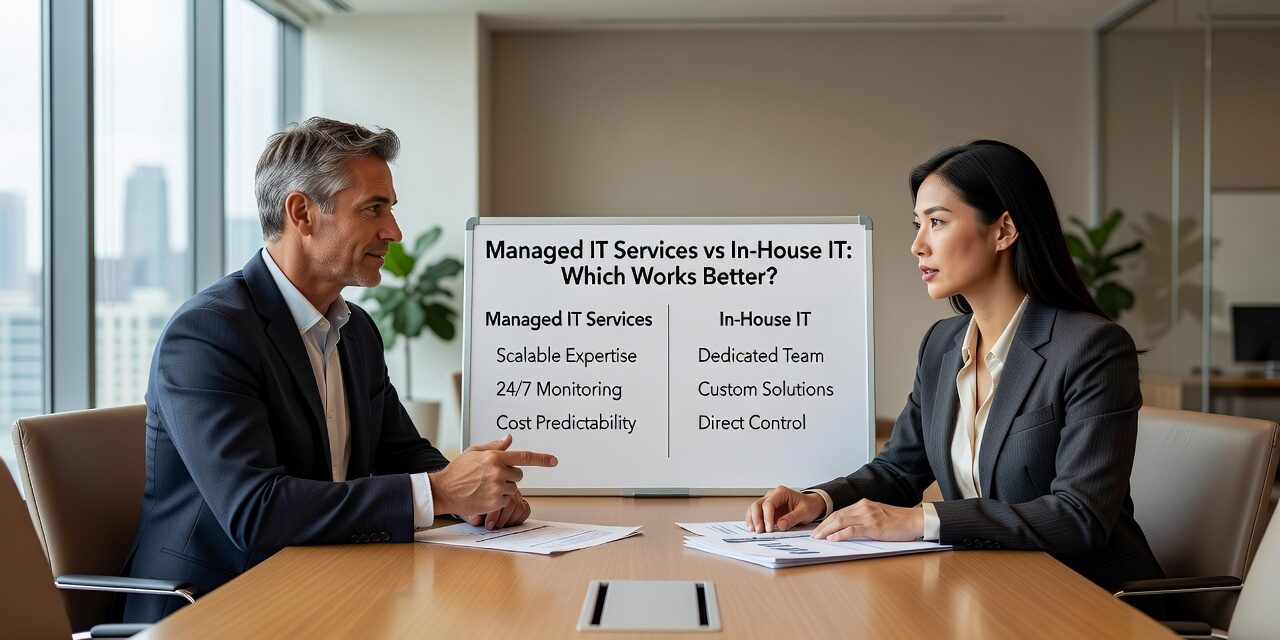
Growing companies eventually face a critical decision: should they hire internal IT staff or work with an external managed IT provider? The choice affects everything from daily operations to long-term technology planning.
Both approaches have clear advantages, but the right fit depends on your company’s size, growth trajectory, and operational needs. Here’s how to evaluate managed IT services vs in house IT for your business.
The Real Costs of Building Internal IT
Hiring internal IT staff involves more than salary expenses. A qualified IT professional in Texas typically earns $55,000 to $85,000 annually, plus benefits that add another 20-30% to total compensation costs.
Beyond salary, internal IT requires ongoing investment in training and certifications. Technology changes rapidly, and your staff needs to stay current with cybersecurity threats, software updates, and new platforms like Microsoft 365 advanced features.
Many growing companies also discover they need multiple IT roles: someone for help desk support, another for network administration, and potentially a third for cybersecurity oversight. This can quickly push IT staffing costs above $200,000 per year.
Equipment and licensing costs add another layer. Your internal team needs professional-grade monitoring tools, security software licenses, and diagnostic equipment that can cost $10,000 to $25,000 annually.
When Internal IT Makes Sense
Some companies benefit from having IT staff on-site. Businesses with highly specialized systems or strict regulatory requirements often need dedicated internal expertise.
Companies with 100+ employees frequently have enough daily IT requests to justify a full-time help desk person. Large offices also benefit from having someone available for immediate hardware issues or conference room setup problems.
Internal IT works best when you can afford redundancy. If your sole IT person takes vacation or leaves unexpectedly, you need backup coverage. This typically means having at least two IT professionals, which doubles your investment.
The Managed IT Services Approach
Managed IT providers handle your technology infrastructure remotely and on-site as needed. Instead of hiring individual specialists, you get access to a complete IT team for a predictable monthly cost.
A typical managed IT arrangement includes help desk support, network monitoring, security management, backup oversight, and technology planning. Most providers offer response time guarantees and after-hours support that would be expensive to replicate internally.
Cost predictability is a major advantage. Instead of surprise expenses for new software licenses or emergency repairs, you pay a fixed monthly fee based on the number of users and systems you need supported.
Managed providers also handle vendor relationships. Instead of coordinating with separate companies for internet service, phone systems, and software support, you have one point of contact who manages these relationships.
Common Problems with Each Approach
Internal IT often creates single points of failure. When your IT person is unavailable, minor issues can escalate quickly. Many small businesses discover this during vacations or when an employee gives notice.
Skills gaps are another frequent problem. Your internal IT person might excel at help desk support but struggle with advanced cybersecurity or cloud management. Filling these gaps through training or additional hires gets expensive.
With managed IT, the main challenge is less direct control. You’re depending on an external team to understand your business priorities and respond appropriately. Some business owners feel disconnected from their technology decisions.
Response times can also vary. While most managed IT providers offer specific response guarantees, you might wait longer for non-urgent issues compared to having someone on-site.
Making the Decision: Key Questions
Evaluate your current situation with these questions:
How many IT-related interruptions does your team experience weekly? If employees frequently can’t access files, have email problems, or struggle with software issues, you need more comprehensive support regardless of the delivery method.
What happens when technology fails during critical business periods? Consider your backup plans for server outages, internet disruptions, or security incidents.
How much time do non-IT employees spend troubleshooting technology problems? This hidden cost often surprises business owners who calculate only direct IT expenses.
Do you need 24/7 monitoring and support? Many managed providers offer around-the-clock network monitoring that would be prohibitively expensive to staff internally.
Hybrid Approaches Worth Considering
Some growing companies combine internal and managed IT resources. They might hire one internal person for daily help desk support while outsourcing network management, cybersecurity, and strategic planning to a managed provider.
This approach works well for companies that want immediate on-site support but can’t justify hiring specialists for every IT function. The internal person handles routine requests while the managed provider focuses on infrastructure and security.
Co-managed IT arrangements let you maintain some internal control while accessing external expertise for complex projects or specialized needs.
What This Means for Your Business
The managed IT services vs in house IT decision ultimately comes down to cost, control, and capability. Most growing companies find managed IT more cost-effective and reliable, especially when they need multiple IT specialties but can’t afford to hire several full-time positions.
Internal IT makes sense when you have enough volume to justify dedicated staff and can afford proper redundancy and training.
Either way, avoid the middle ground of minimal IT support. Technology problems compound quickly, and the cost of inadequate support usually exceeds the investment in proper IT management.
If you’re evaluating IT support options for your growing business, TECHZN provides managed IT services designed specifically for companies that need reliable technology without the overhead of internal IT departments. Contact us to discuss which approach fits your operational needs and growth plans.






