




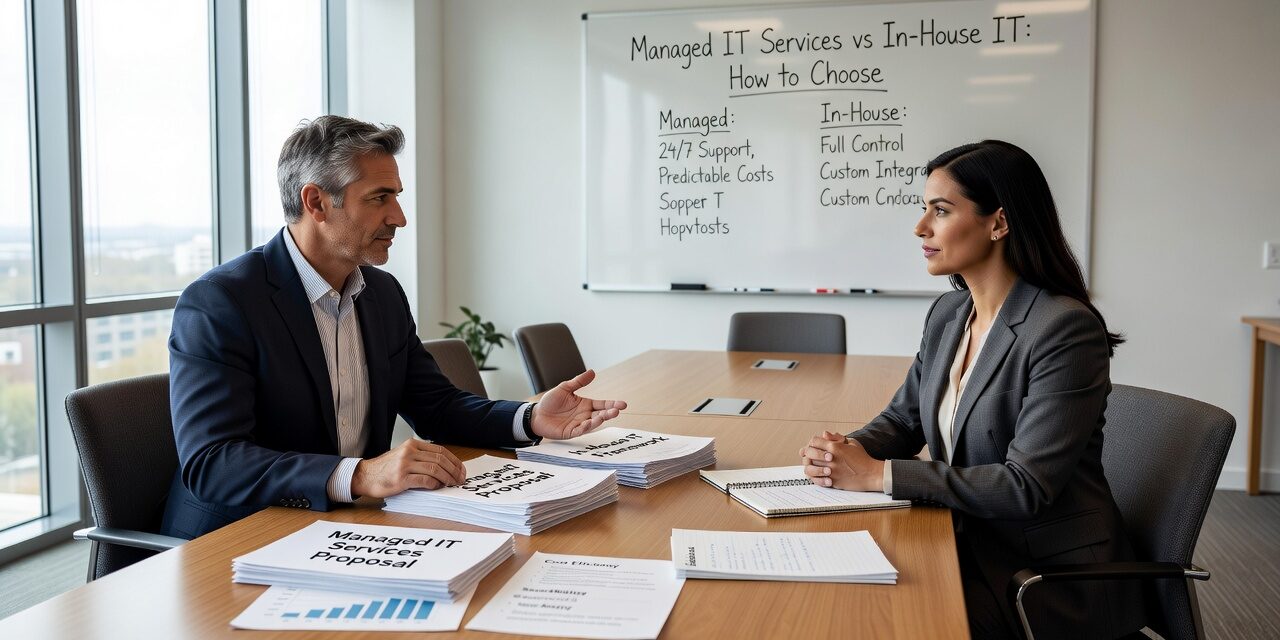
Deciding whether to hire internal IT staff or work with an outside provider is one of the more consequential technology decisions a growing business will make. Get it wrong and you’ll either overpay for capability you don’t need, or find yourself understaffed when something breaks at the worst possible moment. This guide walks through the real operational differences between managed IT services vs in-house IT so you can make a decision based on your actual situation.
What You’re Actually Comparing
The comparison isn’t simply cost-per-hour or headcount. It’s about coverage, depth, and what happens when things go sideways.
An in-house IT person—or a small internal team—is physically present, knows your office layout, and understands your staff. That familiarity has real value. But a single IT employee typically covers a narrow range of skills. They might be strong on end-user support but limited when it comes to network infrastructure, cybersecurity, or cloud migrations. When that person takes a vacation, calls in sick, or leaves the company, your coverage disappears.
A managed IT provider brings a team with broader specialization. When your firewall configuration needs attention, there’s someone for that. When a Microsoft 365 issue locks out half your staff at 7:45 a.m., someone is already monitoring the alert. The tradeoff is that they’re not sitting in your office, and response time—depending on the provider and agreement—can vary.
Neither model is universally better. The right answer depends on your size, complexity, and risk tolerance.
Where In-House IT Tends to Fall Short
For companies with fewer than 75 to 100 employees, a single IT hire rarely covers all the ground a business actually needs.
Consider a common scenario: a 40-person professional services firm hires their first full-time IT coordinator. That person handles password resets, printer issues, and onboarding new laptops. They’re responsive and well-liked. But when the company’s backup system silently fails for three weeks—something that requires proactive monitoring to catch—nobody notices until a server issue forces a recovery attempt. By then, there’s nothing recent to restore from.
That’s not a hiring failure. It’s a structural one. One person cannot watch everything, patch everything, respond to everything, and still plan proactively. The job is too broad.
Other gaps show up in cybersecurity. Most in-house generalists are not security specialists. Reviewing firewall rules, managing endpoint detection tools, and staying current on threat patterns is a full-time discipline on its own. Expecting a single IT employee to cover that alongside day-to-day support is unrealistic.
Where Managed IT Can Underdeliver
Managed IT is not a guaranteed upgrade. The model has real weaknesses worth knowing before you commit.
Response time is contractual, not personal. If your agreement defines a four-hour response window for non-critical issues, a problem that feels urgent to your office manager may sit in a queue. In-house staff often respond faster to low-severity issues simply because they’re in the building.
Familiarity takes time. A new managed provider needs a few months to understand your environment—your quirky legacy application, the conference room that always drops Wi-Fi, the staff member who tends to click on suspicious links. That ramp-up period can feel frustrating.
Not all providers are equal. Some managed IT agreements are essentially reactive support with a monthly fee attached. If your provider isn’t doing proactive patch management, reviewing your backup logs, and flagging aging hardware before it fails, you’re not getting the full value of the model. Ask specifically what monitoring and maintenance activities are included, and how often you’ll receive a summary of what was done.
The Co-Managed Option: Often Overlooked
Many businesses default to an either/or framing, but there’s a middle path worth considering: co-managed IT.
This model works well when you already have an internal IT person who is capable but overwhelmed. Rather than replacing them, you layer in an outside provider to handle the functions that exceed their bandwidth—security monitoring, after-hours coverage, specialized projects, or backup and disaster recovery oversight.
A 90-person distribution company, for example, might have an IT manager who handles everything reasonably well day-to-day but has no bandwidth for a Microsoft 365 migration, a firewall upgrade, and end-user support simultaneously. A co-managed arrangement fills those gaps without duplicating what the internal person already does well.
This is a practical option that often gets skipped because it requires more coordination to set up. But for businesses where the internal IT person is valuable and worth retaining, it’s worth exploring.
A Simple Framework for Making the Decision
Before choosing a direction, answer these questions honestly:
- How many employees rely on IT to do their jobs? Above 30 to 40 users, the support burden typically outpaces what one person can handle reactively.
- Do you have compliance obligations? If you handle patient records, payment card data, or work with regulated clients, you need documented security practices and audit-ready processes—not just someone who fixes things when they break.
- What does downtime actually cost you? If your systems go down for a day, what’s the real financial exposure? If the number is significant, your IT support model should reflect that risk.
- What’s your coverage expectation? If your business operates outside standard business hours, in-house IT won’t typically be available during those windows. Managed providers with 24/7 monitoring fill that gap.
- Have you had recurring problems that never fully get resolved? That’s a common sign that reactive support—whether internal or external—isn’t sufficient. Proactive monitoring and maintenance is what prevents those “random” outages from repeating.
If you’re a growing business in Texas evaluating your options, outsourced IT support options for Texas businesses are worth comparing against the true fully-loaded cost of an in-house hire, which includes salary, benefits, training, vacation coverage, and the cost of skill gaps.
What This Means for Your Business
There’s no single right answer here, but there is a useful default: if your business is growing, your technology is getting more complex, and your current IT support feels mostly reactive, that’s a signal the model needs to change.
In-house IT works well when you have enough scale to justify a full team with defined specializations. A single generalist, no matter how talented, will eventually hit coverage limits.
Managed IT works well when you want consistent, proactive coverage without building an internal department. The key is choosing a provider who treats your account as an ongoing relationship—not a help desk ticket queue.
If you’re trying to work through what the right structure looks like for your specific situation, TECHZN works with businesses across Dallas and Austin to assess their current IT setup and build a support model that fits their size and goals. Reach out to start a conversation about what that could look like for your team.






