




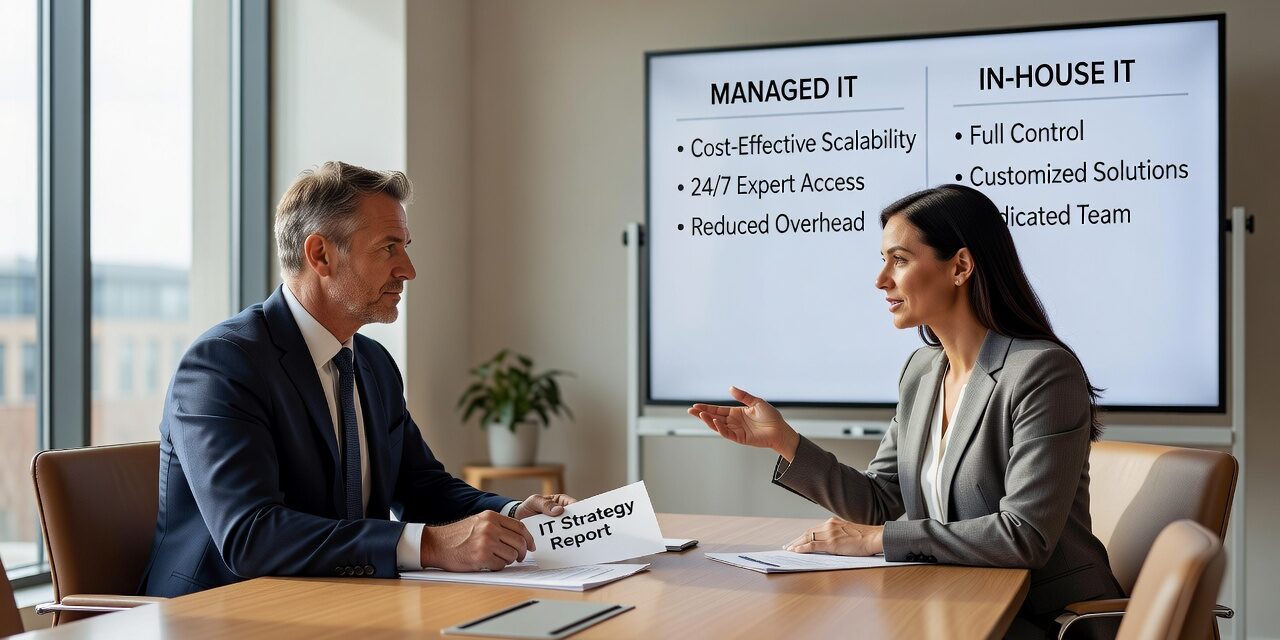
Deciding between managed IT services vs in-house IT is one of the more consequential calls a growing company can make—and it’s rarely as straightforward as comparing two line items on a budget sheet. The right answer depends on your size, your risk tolerance, your growth trajectory, and what your team actually needs day to day.
This isn’t about which option sounds better in theory. It’s about what works in practice for a business that depends on technology but doesn’t want IT to become a distraction.
What You’re Actually Comparing
When most business owners say “in-house IT,” they mean a dedicated employee—or a small team—who manages everything internally. That includes handling support tickets, maintaining the network, managing software licenses, responding to security alerts, and keeping backups running.
Managed IT, by contrast, means contracting an external provider to handle some or all of those responsibilities under a fixed monthly agreement. You get access to a team with varied specializations, rather than relying on one or two generalists.
Both models can work. The question is which one fits where your business is right now—and where it’s headed.
Where In-House IT Works Well
Having IT staff on-site makes sense in a few specific situations. If your business has complex, proprietary systems that require deep institutional knowledge, an internal hire can be worth the investment. If you’re in a regulated industry where data handling is tightly controlled and documentation-heavy, having someone embedded in your operations can simplify audit trails and compliance workflows.
That said, there’s a common blind spot here: many businesses hire a single IT person and assume their coverage is complete. It rarely is.
One IT employee can handle a lot—but not everything simultaneously. When that person is out sick, on vacation, or simply overwhelmed during a bad week, support gaps open up fast. A server issue on a Monday morning doesn’t pause because your IT person is at a dentist appointment. And when a company is growing quickly, one generalist often can’t keep pace with expanding infrastructure, new locations, and increasing security demands.
Where Managed IT Tends to Outperform
For most small and mid-sized businesses, managed IT closes gaps that internal hiring simply can’t address at the same cost.
Consider a practical example: a professional services firm with 40 employees opens a second office. Their single IT hire is now juggling network setup at the new location, ongoing support at the original office, and a Microsoft 365 migration that keeps stalling because there isn’t enough bandwidth to manage it alongside daily tickets. Things start falling through the cracks.
A managed IT provider brings a team—not just one person. There’s usually someone handling monitoring, someone focused on security, someone on help desk, and someone doing strategic planning. That division of responsibility is difficult to replicate internally without hiring three or four people.
Managed IT also tends to provide more consistent response times. Help desk SLAs are written into the contract. If an employee can’t print, access email, or connect to the VPN, there’s a defined process for getting help quickly—not just hoping the IT person isn’t already buried.
The Cost Comparison Most Businesses Get Wrong
On the surface, a managed IT contract looks more expensive than a single salary. But that comparison skips several real costs.
A full-time IT employee at a competitive salary, with benefits, paid time off, training, and tools, often runs well into six figures annually when everything is factored in. And that one hire still doesn’t cover after-hours support, advanced cybersecurity monitoring, or specialty needs like backup infrastructure management.
The more honest comparison is total coverage vs. total cost. What does it actually cost to maintain reliable IT operations—including the incidents that happen when coverage is thin?
A business that loses four hours of productivity because no one caught a server issue overnight has a real cost. So does a phishing attack that succeeds because email security settings weren’t configured properly. Those aren’t hypothetical risks. They’re the kind of events that tend to surface when IT coverage has gaps.
A Common Mistake: Waiting Too Long to Make a Change
One of the most frequent missteps growing companies make is sticking with their current IT setup well past the point where it stopped working well. The signs are usually visible for months before anything changes: recurring issues that never fully get resolved, help desk requests piling up, security patches that are behind, or staff regularly working around broken tools.
The operational cost of delayed IT support is real. When employees can’t get answers quickly, they either wait—losing productive time—or improvise, which often creates security or compliance problems down the line.
If your team has learned to expect slow IT responses, that’s worth treating as a signal, not just an inconvenience.
How to Decide What’s Right for Your Business
A few practical questions can help clarify the decision:
- How many employees need IT support, and how often? If support requests are frequent, a single hire may not be enough to keep up.
- Do you have multiple locations or remote workers? Multi-site environments benefit from structured remote monitoring and support coverage.
- What would a two-hour outage cost your business? If the answer is significant, your IT coverage needs to match that risk level.
- What happens when your IT person is unavailable? If there’s no backup, that’s a gap worth taking seriously.
- Are you keeping up with security basics? Patch management, email filtering, access controls, and backup testing require consistent attention—not just when something breaks.
None of these questions have a single right answer, but they point toward whether your current setup has the capacity your business actually needs.
For businesses in Texas that are actively weighing this decision, it’s worth exploring outsourced IT support options that are structured around your size and operational requirements, rather than a one-size-fits-all contract.
What This Means for Your Business
The managed IT vs. in-house IT decision isn’t about finding the cheapest option. It’s about making sure your IT coverage actually matches your operational risk and your growth plans.
If your business is small and stable, an in-house hire with clearly defined responsibilities can work. But if you’re growing, managing multiple locations, or finding that IT issues are becoming a recurring drag on your team’s productivity, a managed IT model typically provides more complete coverage at a more predictable cost.
TECHZN works with businesses across Dallas and Austin that are at exactly this crossroads—companies that have outgrown their current setup and want a clearer path forward. If you’d like to talk through what IT support should look like for your size and structure, we’re happy to start with a straightforward conversation.






