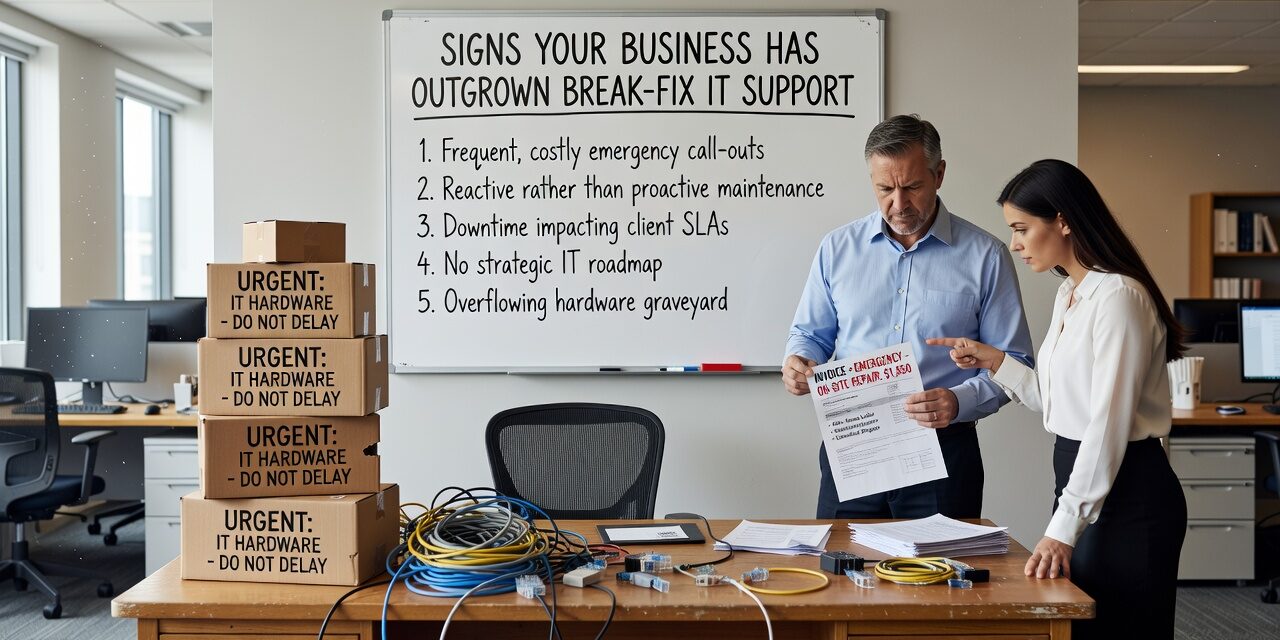
If your team is calling someone to fix things only after they break, you are not alone. A lot of small and mid-sized businesses run on break-fix IT support longer than they should. It works fine at first. You call, someone shows up, the problem gets fixed, you pay the bill. Simple enough.
But there is a point where that model starts costing you more than it saves. The signs are not always dramatic. They tend to show up as friction—repeated issues, slow responses, surprise invoices, and a nagging sense that your technology is always one bad day away from a real problem.
If any of that sounds familiar, this article is worth reading before your next outage.
What Break-Fix IT Support Actually Means
Break-fix is exactly what it sounds like. You have no ongoing IT relationship. When something breaks, you call someone, they fix it, you pay by the hour or by the job. There is no monitoring, no patching schedule, no one watching for problems before they affect your staff.
For a one-person shop with basic technology needs, this might be fine. But the moment you have more than a handful of employees, multiple systems, cloud applications, and data you cannot afford to lose, the break-fix model starts to develop some serious gaps.
The biggest one: no one is watching when nothing is obviously broken. That is usually when the real problems are forming.
The Most Common Signs You Have Outgrown It
The Same Problems Keep Coming Back
This is one of the clearest signals. If your staff is dealing with the same Wi-Fi dropouts, the same printer failures, the same login issues week after week, you are not dealing with bad luck. You are dealing with problems that were patched instead of fixed.
Break-fix support is reactive by nature. A technician comes in, gets the system running again, and leaves. There is no incentive—and often no time—to investigate why the issue keeps happening. So it comes back. Your staff loses an hour. You call again. You pay again.
A business running Microsoft 365 with intermittent sync errors is a good example. The quick fix is to log out and back in. The actual fix might involve license configuration, cached credentials, or a policy conflict that a proactive IT partner would catch during a routine review.
Your Bills Are Unpredictable
Break-fix billing feels low-cost when nothing is going wrong. But when something does go wrong—especially during a critical period like a product launch, end of quarter, or a busy season—those hourly rates add up fast.
The problem is not just the cost. It is the unpredictability. A managed IT arrangement typically runs on a flat monthly fee that covers monitoring, maintenance, and support. That makes IT costs something you can actually budget for. With break-fix, you are essentially self-insuring against IT failures without knowing what the premium is.
Response Times Are Affecting Your Operations
With break-fix support, response time is generally negotiated in the moment. If your provider is busy with another client, you wait. If it is a Friday afternoon and something goes down, you might be waiting until Monday.
For teams that depend on phones, cloud applications, or point-of-sale systems, that kind of delay is not acceptable. Think about a five-person office that cannot access their shared files for half a day because the cloud sync is broken and the IT person is not available until tomorrow. That is not just an inconvenience—it is a measurable productivity loss with a dollar figure attached to it.
Response time matters most when things are at their worst. Break-fix arrangements rarely guarantee it.
Nobody Is Maintaining the Basics
Patching, backups, security updates, account cleanup—none of these are glamorous. They also do not generate a service call on their own. So in a break-fix model, they often do not get done.
This is a significant blind spot. Outdated software is one of the most common entry points for security incidents. A backup that has not been tested in eight months might not restore correctly when you actually need it. User accounts for former employees that were never deactivated are a quiet but real security risk.
None of these failures announce themselves. You only find out when something goes wrong, and by then the damage is already done.
Your Technology Is Getting More Complex
Growth tends to bring complexity. More staff. More devices. A second location. A new line-of-business application. A shift to remote or hybrid work. Each of these changes adds surface area—more things that can break, more things that need to be secured and maintained.
Break-fix support does not scale with that complexity. When you have multiple vendors, multiple systems, and no one with a clear picture of how everything fits together, troubleshooting becomes slower and more expensive. Problems at the intersection of two systems—your VoIP phone setup and your internet provider, for example—can fall through the cracks entirely because neither vendor owns the full picture.
The Blind Spot Most Business Owners Miss
Many business owners underestimate how much unresolved IT friction costs them in staff productivity before it ever generates a support call. Slow logins, intermittent application errors, sluggish Wi-Fi in certain parts of the office—these are the kinds of things employees work around without reporting. They just accept them as part of the day.
That quiet friction accumulates. If each person on a ten-person team loses even 20 minutes a day to minor IT slowdowns, that is more than 800 hours of lost productivity per year across the team. No single support ticket would capture that. But a proactive IT partner reviewing ticket trends and conducting regular network assessments would start to see the pattern.
How to Decide If It Is Time to Make a Change
You do not need to be in crisis to outgrow break-fix support. The right time to evaluate your options is before the next major incident, not after it.
A few practical questions worth asking:
- How many IT issues did your staff deal with in the last 90 days? If you cannot answer that, no one is tracking it.
- When did someone last check whether your backups are working? Not just running—actually restorable.
- Do you have a single point of contact who understands your full IT environment? Or are you managing multiple vendors with no one coordinating them?
- What would happen if your main server or cloud access went down tomorrow? Is there a plan, or would you be figuring it out in real time?
If most of those answers are unclear or uncomfortable, that is a signal worth taking seriously.
For businesses in Texas looking to move away from reactive IT, exploring managed IT support for growing businesses is a reasonable next step—especially if recurring issues, unpredictable costs, or slow response times are already showing up regularly.
What This Means for Your Business
Break-fix IT support is not a bad thing. For very small operations with minimal technology needs, it can work. But if your business has grown past that point—more staff, more systems, more dependence on technology that simply has to work—the reactive model starts working against you.
The goal is not to spend more on IT. The goal is to stop paying the hidden costs of IT that is not being managed: the downtime, the recurring issues, the lost productivity, and the security gaps nobody is watching.
If you are seeing signs your current approach is no longer enough, TECHZN works with businesses across Dallas and Austin to build IT support structures that match where your business actually is—not where it was two years ago. Reach out to start a straightforward conversation about what proactive support could look like for your team.