




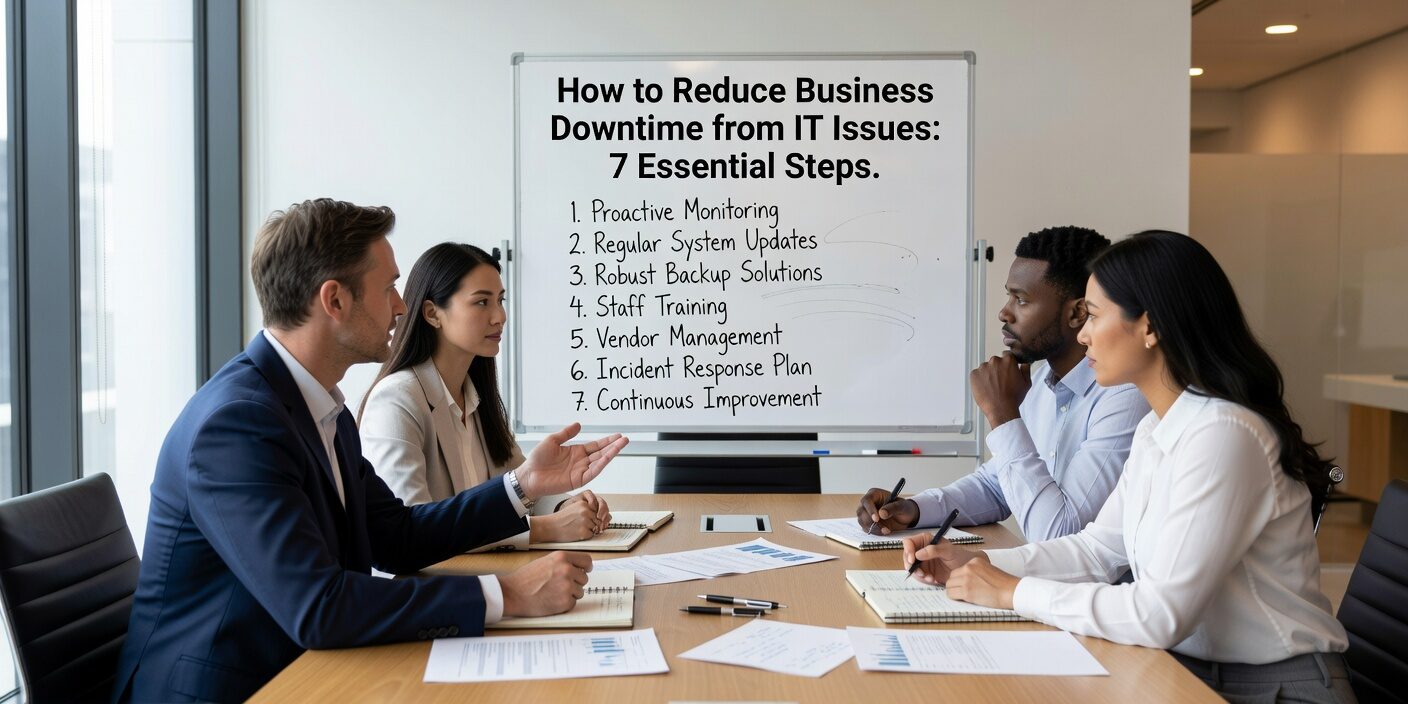
Understanding how to reduce business downtime from IT issues is critical for any growing business. Recent studies show that IT downtime costs small to mid-sized businesses between $5,000 and $25,000 per hour, with impacts extending far beyond lost revenue to include productivity losses, customer frustration, and potential security exposure.
The Most Common Causes of Business IT Downtime
Before implementing prevention strategies, it’s important to understand what typically causes downtime. According to 2024 industry data, the leading causes include:
Configuration and change issues account for 34% of outages, often resulting from untested software updates or network configuration changes. Hardware failures affect 29% of incidents, particularly aging servers, storage devices, and network equipment.
Power outages impact 37% of businesses, especially those without proper backup power systems. Internet provider failures affect 29% of companies, highlighting the importance of connection redundancy.
Security incidents like ransomware and malware cause 27% of outages, often requiring systems to be taken offline for remediation. Additionally, human error remains a significant factor, from accidental deletions to misconfigurations.
Understanding these patterns helps prioritize where to focus your prevention efforts and budget.
Build Proactive Monitoring and Early Detection
The best way to prevent downtime is catching problems before they become full outages. 27% of incidents occur because issues weren’t detected early enough.
Effective monitoring includes tracking server performance, network health, and application response times around the clock. Key metrics to watch include CPU usage, memory consumption, disk space, and network latency.
Set up automated alerts for critical thresholds. When disk space reaches 85% capacity or server response time exceeds normal ranges, your IT team should receive immediate notifications. This allows for proactive intervention before users experience problems.
Consider centralizing logs and events from different systems. When multiple alerts occur simultaneously, correlation helps identify root causes faster and reduces time to resolution.
Implement Regular Maintenance and Hardware Planning
Scheduled maintenance prevents emergency repairs. Regular patching, updates, and hardware refreshes address many common failure points before they impact operations.
Establish maintenance windows for applying security patches, software updates, and configuration changes. Test updates in a staging environment before applying them to production systems.
Plan hardware replacement cycles before equipment fails. Most business servers and network equipment should be refreshed every 3-5 years. Aging hardware becomes increasingly unreliable and difficult to repair or replace quickly.
Monitor system capacity regularly. When servers consistently run above 80% CPU or memory usage, it’s time to upgrade or redistribute workloads before performance degrades.
Create Redundancy for Critical Systems
Redundancy means having backup systems ready to take over when primary systems fail. This doesn’t require duplicating everything – focus on your most critical business functions.
Protect against power failures with uninterruptible power supplies (UPS) for servers and network equipment. Test UPS systems quarterly to ensure batteries hold charge and automatic switching works properly.
Consider dual internet connections for offices that depend heavily on cloud applications or customer-facing systems. A secondary connection from a different provider can maintain operations during ISP outages.
For critical servers, implement clustering or failover configurations where a secondary server automatically takes over if the primary fails. Cloud-based solutions often include built-in redundancy that may be more cost-effective than maintaining duplicate on-site hardware.
Strengthen Your Backup and Recovery Strategy
Backups only help if they work when you need them. Many businesses discover backup failures during actual emergencies.
Implement automated daily backups for all critical data and systems. Store copies both locally for quick recovery and offsite for disaster protection. Cloud backup services provide geographic separation and professional management.
Test restore procedures regularly – at least quarterly for critical systems. Document how long each type of recovery takes and ensure this meets your business needs. If restoring your main database takes 8 hours but you need it back within 2 hours, you need a different approach.
Define recovery priorities in advance. Which systems must be restored first? What can wait? Having clear priorities speeds recovery and helps allocate resources effectively during stressful situations.
Reduce Security-Related Downtime
Security incidents often require taking systems offline for investigation and remediation, making cybersecurity a direct downtime prevention strategy.
Implement multi-factor authentication for all administrative access and remote connections. This single measure prevents most credential-based attacks that lead to system compromises.
Keep security software current with automatic updates enabled. Deploy endpoint protection on all computers and ensure firewalls are properly configured and monitored.
Train employees regularly on recognizing phishing emails, safe file handling, and incident reporting. Human error contributes to many security incidents, making user education a technical control.
Consider network segmentation to contain potential breaches. If one area is compromised, proper segmentation prevents attackers from accessing your entire network.
Establish Change Management Procedures
Since configuration changes cause over one-third of outages, implementing proper change controls delivers significant risk reduction.
Test all changes in a non-production environment first. This includes software updates, configuration modifications, and new application deployments.
Schedule changes during low-usage periods and ensure key staff are available to address any issues. Never make significant changes before weekends, holidays, or other times when support may be limited.
Document rollback procedures before implementing changes. If something goes wrong, having a tested path back to the previous state minimizes downtime.
Require approval for high-risk changes and maintain logs of what was changed, when, and by whom. This documentation proves invaluable during troubleshooting.
What This Means for Your Business
Reducing IT downtime requires a systematic approach combining prevention, preparation, and rapid response. The strategies outlined above directly address the most common causes of business disruptions while building resilience into your technology infrastructure.
Start by assessing your current vulnerabilities – aging hardware, single points of failure, and gaps in monitoring or backup procedures. Prioritize improvements based on your business risk tolerance and available budget.
Remember that even small improvements compound over time. Adding UPS protection, implementing automated monitoring, or establishing proper change procedures each reduce your overall downtime risk.
The goal isn’t eliminating all possible failures – it’s building systems robust enough to maintain operations through common disruptions and recover quickly when major incidents occur. With proper planning and IT support strategy for small businesses, most downtime becomes preventable or significantly shortened.
Investing in downtime prevention typically costs far less than dealing with the consequences of extended outages. For growing businesses, reliable technology infrastructure becomes a competitive advantage that enables rather than constrains business operations.






