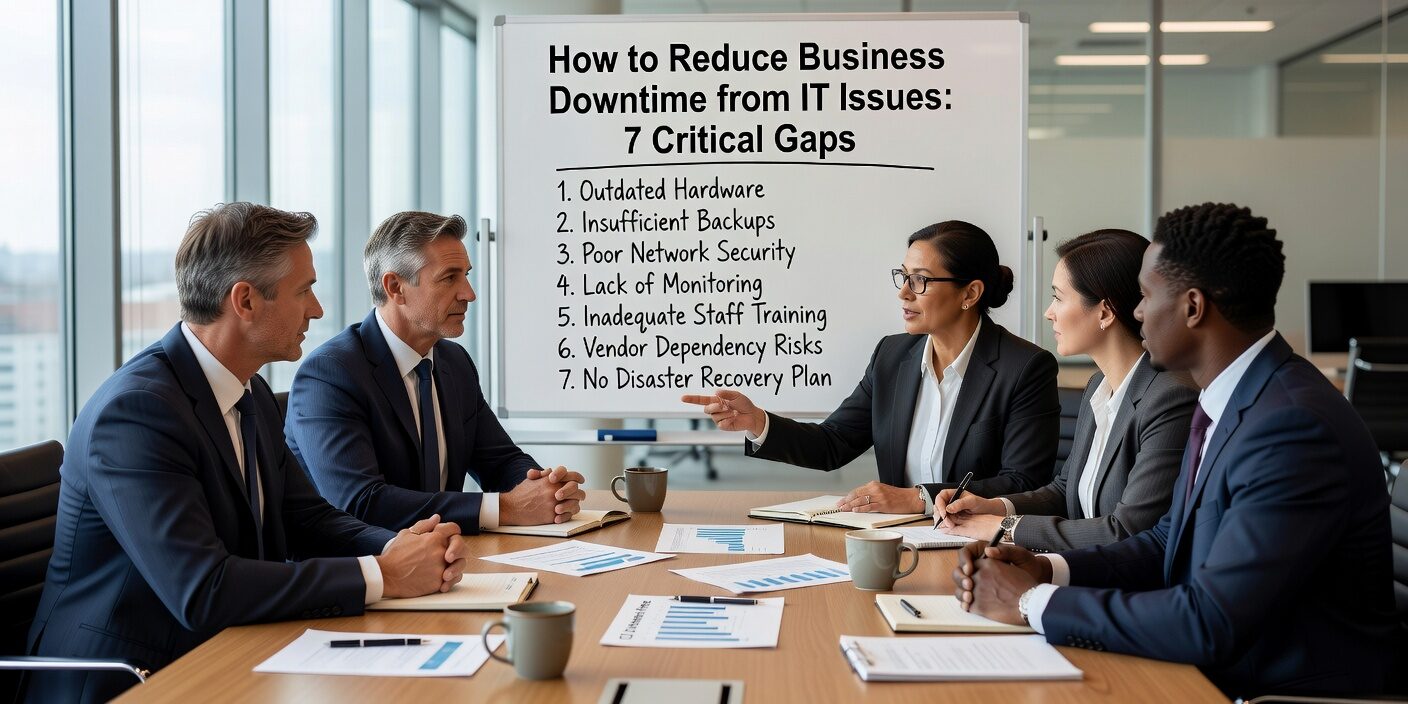
Understanding how to reduce business downtime from IT issues starts with identifying the most common support gaps that cause unexpected outages. Small businesses face an average of 14 hours of downtime annually, with each hour potentially costing thousands in lost productivity and revenue. The good news is that most downtime stems from predictable IT support gaps that can be addressed with proper planning and proactive measures.
Slow Help Desk Response Creates Extended Outages
One of the biggest contributors to prolonged downtime is inadequate help desk coverage and response times. Many businesses rely on reactive, break-fix support models where issues are only addressed after they become critical problems.
Common help desk gaps include:
• No dedicated IT staff or understaffed support teams • Poor ticket prioritization that treats critical outages the same as minor requests • Lack of after-hours coverage when systems fail outside business hours • No defined response time agreements for different types of incidents
When your email server goes down on a Friday afternoon, every minute counts. Businesses without proper help desk protocols often wait hours for support, turning what could be a 15-minute fix into a half-day outage.
Solution approach: Establish clear service level agreements (SLAs) that define response times for critical, high, and medium priority issues. Ensure your IT support includes after-hours coverage for mission-critical systems.
Missing System Monitoring Allows Problems to Escalate
Many small businesses discover IT problems only when users report them, rather than catching issues before they cause outages. Proactive monitoring is essential for identifying potential failures before they disrupt operations.
Key monitoring gaps include:
• No server or network monitoring to detect performance issues • Unpatched systems that become unstable or vulnerable • Storage capacity not tracked until drives are completely full • Application performance not monitored until users experience slowdowns
Without monitoring, a server running low on memory might crash during peak business hours. A security patch that should be routine becomes an emergency when delayed too long.
Solution approach: Implement continuous monitoring for servers, network devices, and critical applications. Set up automated alerts for capacity thresholds, security patches, and performance degradation.
Backup Failures Lead to Extended Recovery Times
Data backup and recovery failures are among the most devastating causes of business downtime. Surprisingly, many businesses don’t discover backup problems until they need to restore data after an incident.
Common backup-related issues include:
• Backups not tested regularly or failing silently • Single backup location vulnerable to ransomware or physical damage • No documented recovery procedures or tested restoration times • Outdated backup technology that can’t keep pace with business growth
A hardware failure that should require only a few hours of recovery can stretch into days when backup systems haven’t been properly maintained or tested.
Solution approach: Implement automated backup monitoring with regular test restores. Maintain backups in multiple locations, including off-site or cloud storage. Document and practice your recovery procedures.
Security Vulnerabilities Cause Operational Shutdowns
Cybersecurity incidents are increasingly common causes of business downtime. 31% of small and medium businesses have experienced cyberattacks such as ransomware, phishing, or data breaches that disrupt operations.
Security gaps that lead to downtime include:
• Unpatched software and operating systems vulnerable to exploitation • Weak endpoint protection allowing malware to spread • Poor user security training leading to successful phishing attacks • Inadequate access controls that allow unauthorized system changes
Ransomware attacks can encrypt critical business systems, forcing companies to shut down operations until data is restored or systems are rebuilt.
Solution approach: Maintain current security patches across all systems. Implement multi-factor authentication, endpoint protection, and regular security awareness training. Have an incident response plan ready.
Poor Vendor Management Creates Service Gaps
Many businesses rely on multiple vendors for internet, cloud applications, line-of-business software, and IT support. Poor coordination between vendors often leads to finger-pointing and delayed resolution when problems occur.
Vendor management challenges include:
• No single point of accountability for end-to-end system availability • Weak service level agreements with unclear response times • Uncoordinated system updates that cause compatibility issues • Integration problems between different software platforms
When your accounting software stops syncing with your CRM system after a vendor update, determining responsibility and fixing the integration can take days without proper vendor coordination.
Solution approach: Designate clear ownership for vendor relationships and system integration. Require coordinated change management for updates that affect multiple systems.
Hardware and Infrastructure Weaknesses
Aging or inadequate infrastructure creates ongoing reliability problems that increase downtime frequency and duration.
Infrastructure-related issues include:
• Outdated hardware that’s more prone to failure • Unreliable internet connections that disrupt cloud-based operations • Power issues and lack of redundancy for critical systems • Single points of failure where any component breakdown stops business operations
Solution approach: Develop a hardware replacement schedule based on manufacturer recommendations rather than waiting for failures. Build redundancy into critical systems where downtime is unacceptable.
Strategic IT Planning Prevents Reactive Firefighting
Businesses without strategic IT planning often operate in constant crisis mode, addressing problems only after they cause disruption. Proactive IT planning helps identify and address potential issues before they impact operations.
Planning gaps that increase downtime include:
• No formal incident response procedures for major outages • Insufficient internal IT expertise to manage complex systems • Lack of documentation for critical processes and configurations • No lifecycle management for aging technology
Without proper planning, every IT incident becomes an emergency requiring immediate attention and resources.
Solution approach: Develop comprehensive IT policies and procedures that include incident response, change management, and regular system reviews. Consider IT support strategy for small businesses that provides both reactive support and proactive planning.
What This Means for Your Business
Reducing IT downtime requires shifting from reactive problem-solving to proactive system management. The most effective approach combines faster response times, continuous monitoring, reliable backups, strong security practices, and strategic planning.
Businesses that successfully minimize downtime typically focus on:
• Establishing clear SLAs for IT support with guaranteed response times • Implementing proactive monitoring across all critical systems • Testing and maintaining reliable backup systems with documented recovery procedures • Maintaining strong security practices including regular patching and user training • Coordinating vendor relationships with clear accountability • Planning infrastructure upgrades before equipment fails
The investment in proper IT support and planning pays for itself through reduced downtime, improved productivity, and better business continuity. Most importantly, it allows you to focus on running your business instead of constantly managing IT emergencies.
Ready to reduce your IT downtime? Contact TECHZN to discuss how comprehensive IT support can protect your business operations and improve reliability. Our team helps Dallas and Austin businesses implement proactive IT strategies that prevent problems before they cause outages.