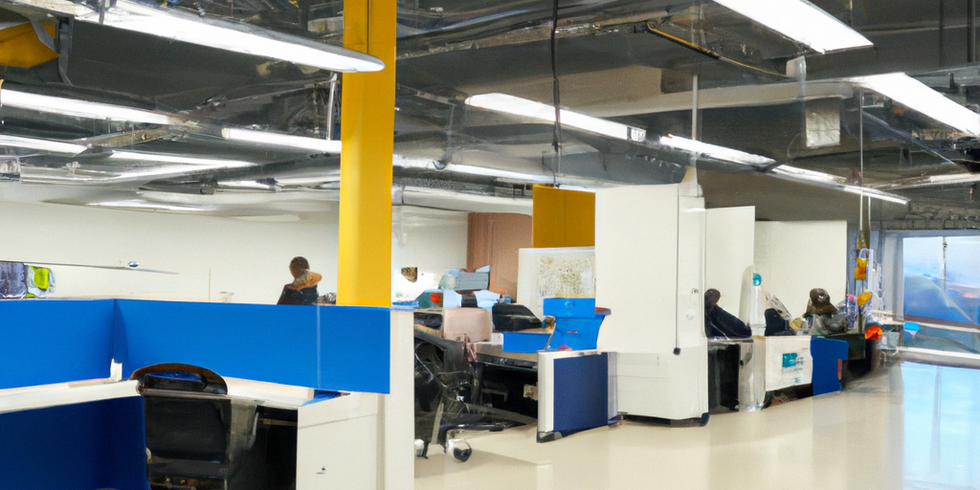
Growing businesses face a common challenge: their technology needs evolve faster than their IT infrastructure can adapt. Without a comprehensive it support checklist for growing businesses, companies often find themselves dealing with costly downtime, security gaps, and inefficient processes that slow their progress.
This checklist provides business leaders with a clear roadmap to build technology systems that support growth while maintaining security and operational efficiency. Whether you’re expanding your team, opening new locations, or increasing your digital footprint, these eight areas require immediate attention.
Assess Your Current IT Infrastructure
Before implementing any changes, you need a complete picture of your existing technology landscape. This assessment forms the foundation of your IT support strategy.
Start with a comprehensive inventory:
- Document all hardware including computers, servers, network equipment, and mobile devices
- List software licenses, subscriptions, and their usage levels
- Evaluate network speed and capacity under current loads
- Review existing security tools and backup processes
- Identify equipment age and performance bottlenecks
Look for common growth obstacles:
- Outdated hardware that slows productivity
- Software licensing gaps or unused subscriptions
- Network congestion during peak usage
- Inconsistent equipment across locations or departments
Most growing businesses discover they have a mix of consumer-grade and business-grade equipment. Standardizing on business-grade solutions ensures reliability and easier support as you scale.
Build a Reliable Network Foundation
Your network infrastructure must handle increased traffic, more devices, and higher performance demands without compromising security or speed.
Essential network components include:
- High-speed internet with redundancy options
- Business-grade Wi-Fi with proper encryption
- Managed switches and routers for better control
- VPN access for secure remote connections
- Network monitoring tools for proactive issue detection
Plan for capacity growth by allocating 25-50 Mbps per employee for video conferencing, cloud applications, and file transfers. Many businesses underestimate bandwidth needs and face performance issues during peak periods.
Consider redundant internet connections from different providers. A secondary connection prevents complete outages when your primary service experiences problems.
Implement Comprehensive Cybersecurity Measures
Cyber threats target growing businesses because they often have valuable data but less mature security infrastructure. The average data breach costs small businesses over $200,000.
Deploy multiple layers of protection:
- Next-generation firewalls with intrusion prevention
- Endpoint protection on all devices
- Multi-factor authentication for critical systems
- Email security to block phishing attempts
- Regular employee security training
- Vulnerability scanning and penetration testing
Focus on user access management. As your team grows, ensure new employees get appropriate system access while departing employees lose access immediately. Many security incidents involve compromised or orphaned user accounts.
Document your security policies and procedures. Clear guidelines help employees understand their role in maintaining cybersecurity and reduce human error.
Establish Robust Backup and Disaster Recovery
Data loss can devastate growing businesses. Your backup strategy must protect against hardware failures, cyberattacks, human error, and natural disasters.
Cloud-Based Backup Strategy
Modern backup solutions offer several advantages:
- Automatic scheduling reduces human error
- Scalability grows with your data needs
- Geographic redundancy protects against local disasters
- Point-in-time recovery allows precise data restoration
- Centralized management across multiple locations
Test your backups monthly. Many businesses discover their backup systems failed only when they need to recover data. Regular testing ensures your recovery procedures work correctly.
Combine cloud backups with local backup systems for faster recovery of frequently accessed files while maintaining offsite protection for complete disaster recovery.
Enable Proactive IT Monitoring
Reactive IT support means fixing problems after they impact productivity. Proactive monitoring identifies and resolves issues before users notice them.
Monitor critical systems continuously:
- Server performance and disk space
- Network traffic and security logs
- Application availability and response times
- Hardware health indicators
- Security threat detection
Automated patch management keeps systems secure and stable. Schedule updates during off-hours and test critical patches in a controlled environment first.
Many growing businesses benefit from 24/7 monitoring services that provide expert analysis and immediate response to critical alerts, especially outside normal business hours.
Standardize Software and Productivity Tools
Software sprawl creates inefficiency and security risks. Standardizing on integrated platforms improves collaboration and reduces training time.
Consider comprehensive platforms like Microsoft 365:
- Email and calendar integration
- Document collaboration and storage
- Video conferencing and team chat
- Device management and security tools
- Business intelligence and analytics
Evaluate specialized business applications:
- Customer relationship management (CRM) systems
- Project management and collaboration tools
- Accounting and financial management software
- Human resources and payroll systems
Choose solutions that integrate well together and offer APIs for custom connections. Integrated systems reduce data silos and improve workflow efficiency.
Develop Scalable Help Desk Support
As your team grows, IT support requests increase exponentially. A structured help desk system ensures consistent, timely resolution.
Implement essential help desk components:
- Ticketing system for request tracking
- Knowledge base for common issues
- Remote support tools for faster resolution
- Service level agreements (SLAs) for response times
- User satisfaction surveys for continuous improvement
Consider outsourced IT support options when internal resources become overwhelmed. Many growing businesses find that managed IT support for growing businesses provides better expertise and response times than hiring full-time IT staff.
Document common procedures and solutions. A comprehensive knowledge base reduces resolution time and helps users solve simple problems independently.
Plan for Future Scalability and Compliance
Your IT infrastructure should support business growth for the next 2-3 years without major overhauls.
Choose scalable solutions:
- Cloud-based systems that grow with usage
- Modular software licensing
- Network infrastructure with expansion capacity
- Security tools that cover additional users and devices
Budget for technology investments by benchmarking against industry standards. Most growing businesses spend 3-7% of revenue on technology, with higher percentages during rapid expansion phases.
Address compliance requirements early:
- Industry-specific regulations (HIPAA, PCI-DSS, SOX)
- Data privacy laws (GDPR, CCPA)
- Professional licensing requirements
- Insurance and audit specifications
Maintain current documentation including network diagrams, system configurations, and standard procedures. Good documentation accelerates troubleshooting and helps new team members understand your systems.
What This Means for Your Business
A comprehensive IT support checklist prevents the common pitfalls that slow business growth: unexpected downtime, security breaches, productivity bottlenecks, and escalating support costs.
Prioritize cybersecurity and backup systems first, as these directly protect against costly incidents. Then focus on network infrastructure and monitoring to ensure reliable performance as you scale.
The most successful growing businesses treat IT as a strategic enabler rather than a cost center. Proactive IT planning supports your business objectives while maintaining the security and reliability your customers expect.
Ready to implement a comprehensive IT support strategy for your growing business? Contact TECHZN today to discuss how our managed services can help you build scalable, secure technology infrastructure that grows with your success.